
AnsibleFest 2020, like most conferences this year, took place completely virtual. I presented on Automating IPAM In Cloud: Ansible + Netbox. You can find the slides along with the demonstration code in this git repo. In this post, I’m going to expand a little further on the content I presented.
What is IPAM?#
IP Address Management (IPAM) is the critical component that organizes your IP addresses and networks in one place. Responsible management of IP addressing drives efficient, repeatable, and reliable network automation. It is also a dependency for many other types of automation. Think of all the things that require IP addresses to communicate?

The Problem#
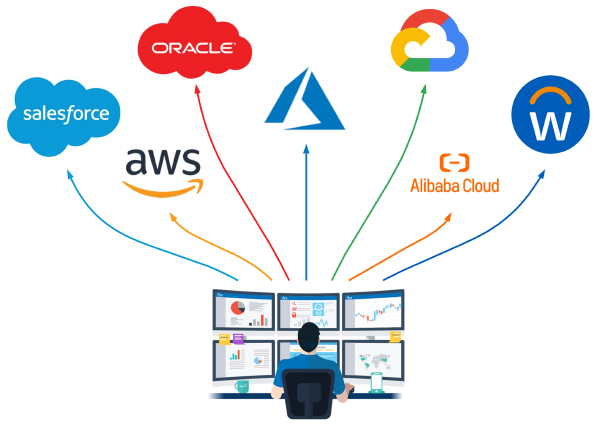
If you are hybrid multi-cloud, it probably means you share the same RFC1918 space across clouds and traditional networking. If this is the case, it means you probably want to keep track of allocation across VNets, Subnets, and VMs.
Boundaries Are Blurred#
- As Hybrid Multi-Cloud becomes a reality, private IP space becomes shared across cloud(s) and on-premises
- Developers leverage CI/CD as they deploy, maintain, and migrate applications in the cloud; network can’t keep up
- Some developers do not have a good understanding of how IP addressing works and how to consume it responsibly

Inconsistency In Data Domains#
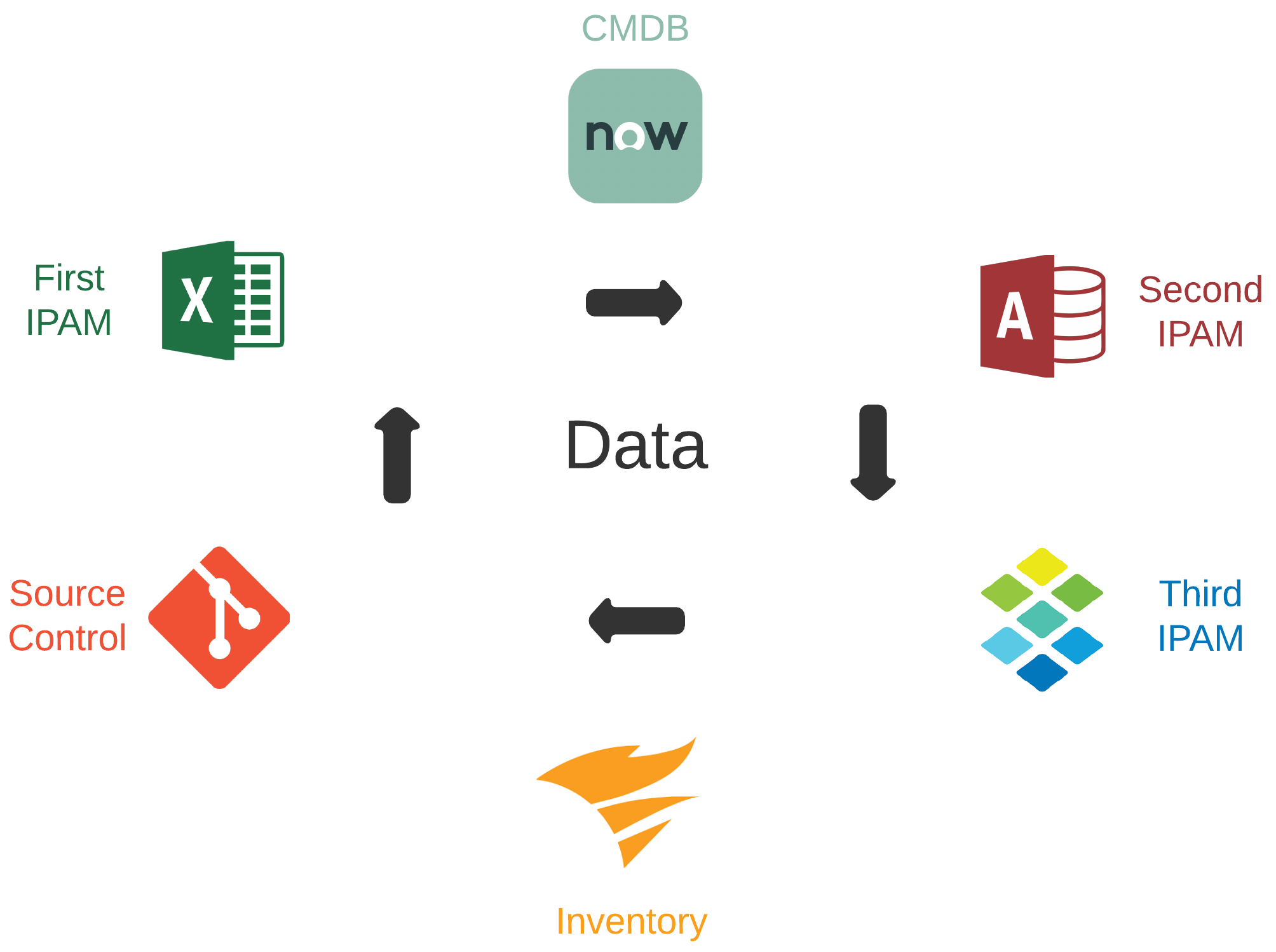
- Data required for efficient automation is often dispersed across many tools and platforms
- Frequently, overlap can exist between these tools and platforms for a given data domain
- Tools and platforms may be owned and managed by different teams with different directions
- Good automation is dependent on data accuracy, consistency, and ability to be consumed
What Is Our Desired Outcome?#
Aside from the idea that we want to automate IP address management, the main focus is user experience. This encompasses the overall experience for those designing for the future, supporting current, and consuming cloud networking services. The following considerations are critical:
- Minimal human intervention
- Repeatable with other cloud providers
- Compatible across traditional + cloud networking
- End-to-end network automation
Why Automate Here?#
If Tesla can make self-driving cars and my coffee maker turns itself on in the morning, we can automate IPAM across the hybrid multi-cloud network, right? Also, the cloud demands agility. If you want agility, you need design patterns to build something repeatable against. If you manage IPAM in the cloud with any Microsoft Office tool, you are doing it wrong.
Why Ansible and Netbox?#
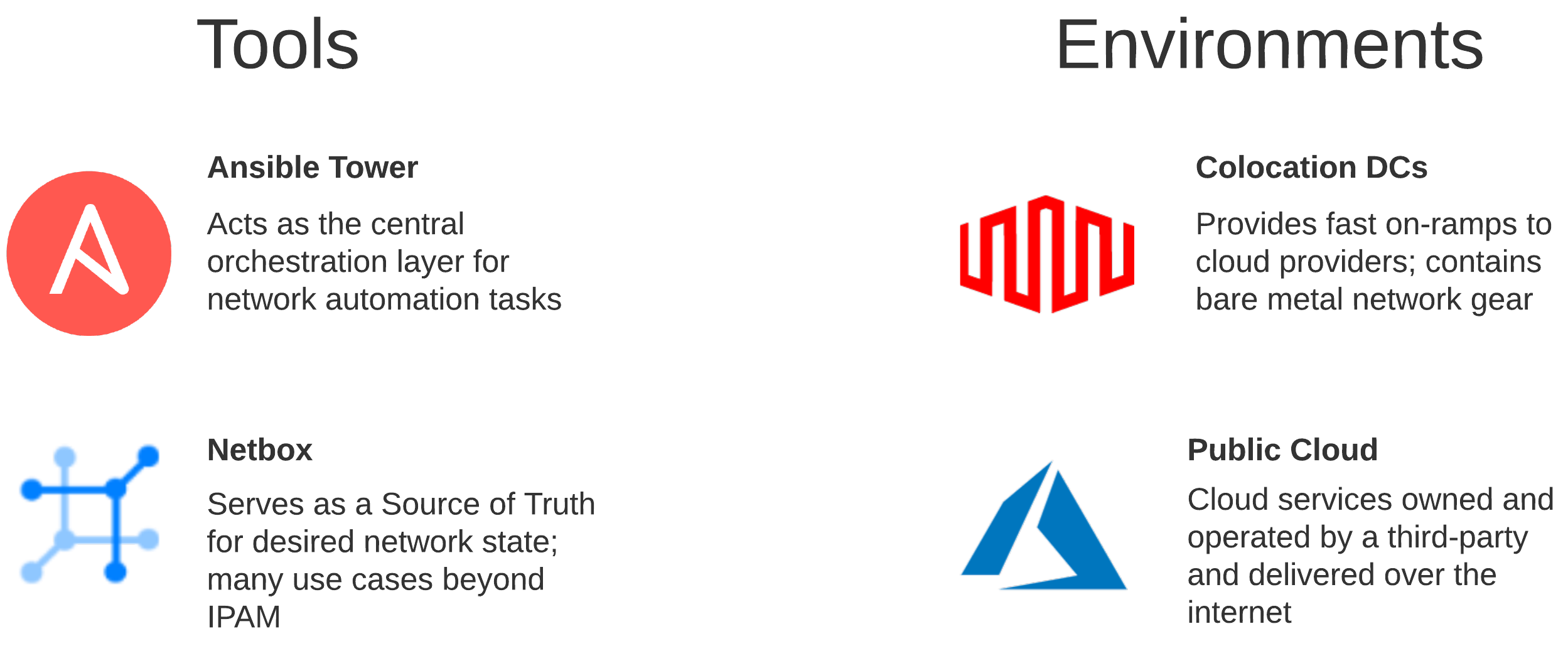
Leveraging something like Ansible begins to make sense when the goal is automation at scale for networking across multiple vendors and environments. Netbox can serve as a Source of Truth intended to represent the desired state of a network versus its operational state. The API is very flexible, and the functionality can drive many automation use cases well beyond IPAM.
Prerequisites#
This post will not detail how to deploy Ansible or Netbox as there is plenty of examples out there already. There is excellent documentation for setting up both of these platforms via Docker. Instructions for setting up Ansible AWX can be found here and Netbox here.
To authenticate to an Azure subscription, you will need to create a Service Principal. Once a Service Principal is created, you will need to assign a role so that you can access the resources in that subscription. Detailed instructions for completing these steps can be found here.
What Are We Automating?#
Let’s examine the cloud environment so we can begin formulating our approach for how we want to automate.
The Technology#
Digging Down Into The Environments#
In the cloud, you generally have a hierarchy in which logical components exist, which may contain additional logical components. With Azure, for instance, management groups include subscriptions. Subscriptions hold Resource Groups, which include VNets. A VNet may be a shared resource across many apps and services in scope across many teams.

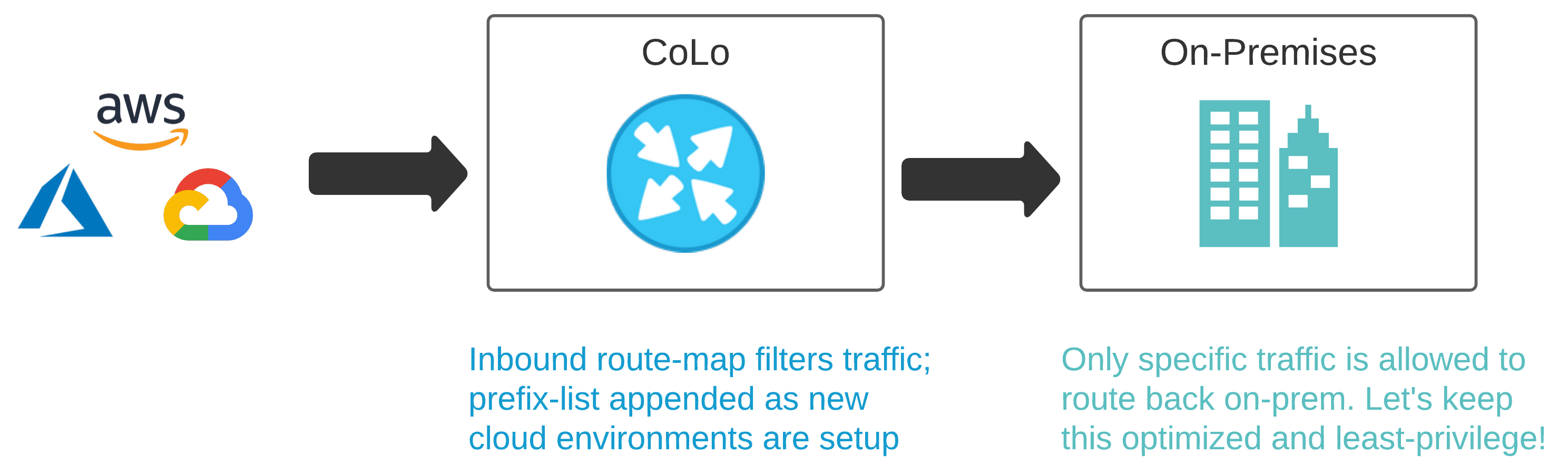
Colocation Data Centers like Equinix or Megaport are being used more frequently as demand for cloud services increase. We will need to make some changes to a few physical Cisco ASRs, so packets can route.
Design Drives Automation#
Thinking through a given design is a crucial element for how you approach the automation. If our goal is end-to-end network automation at scale, that means we must automate across multiple vendors and environments.
Standard Workflows#
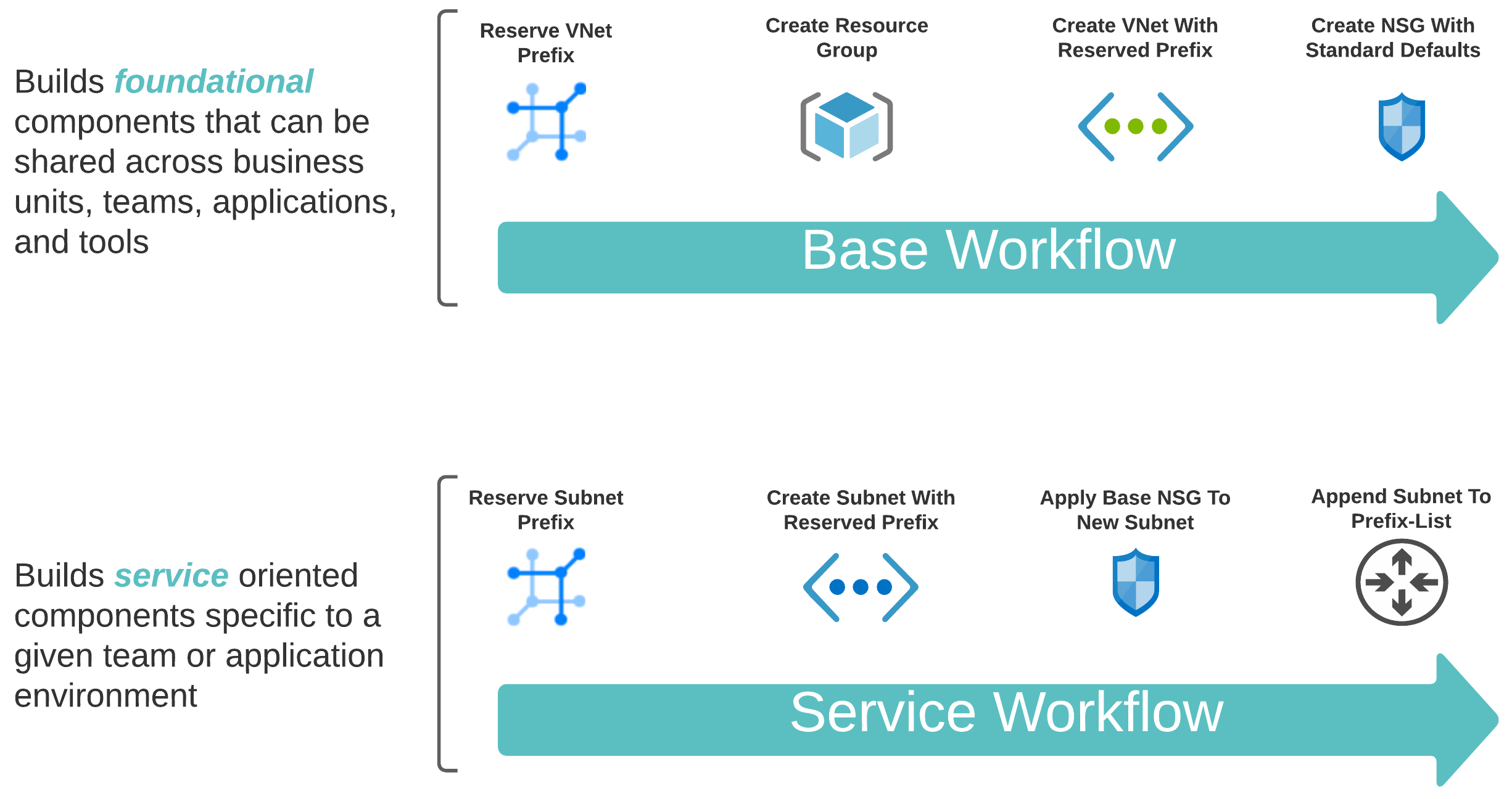
To automate both the foundational (shared) and service-oriented (app-specific) components, leveraging two distinct workflows makes sense.
A Scalable Tagging System#
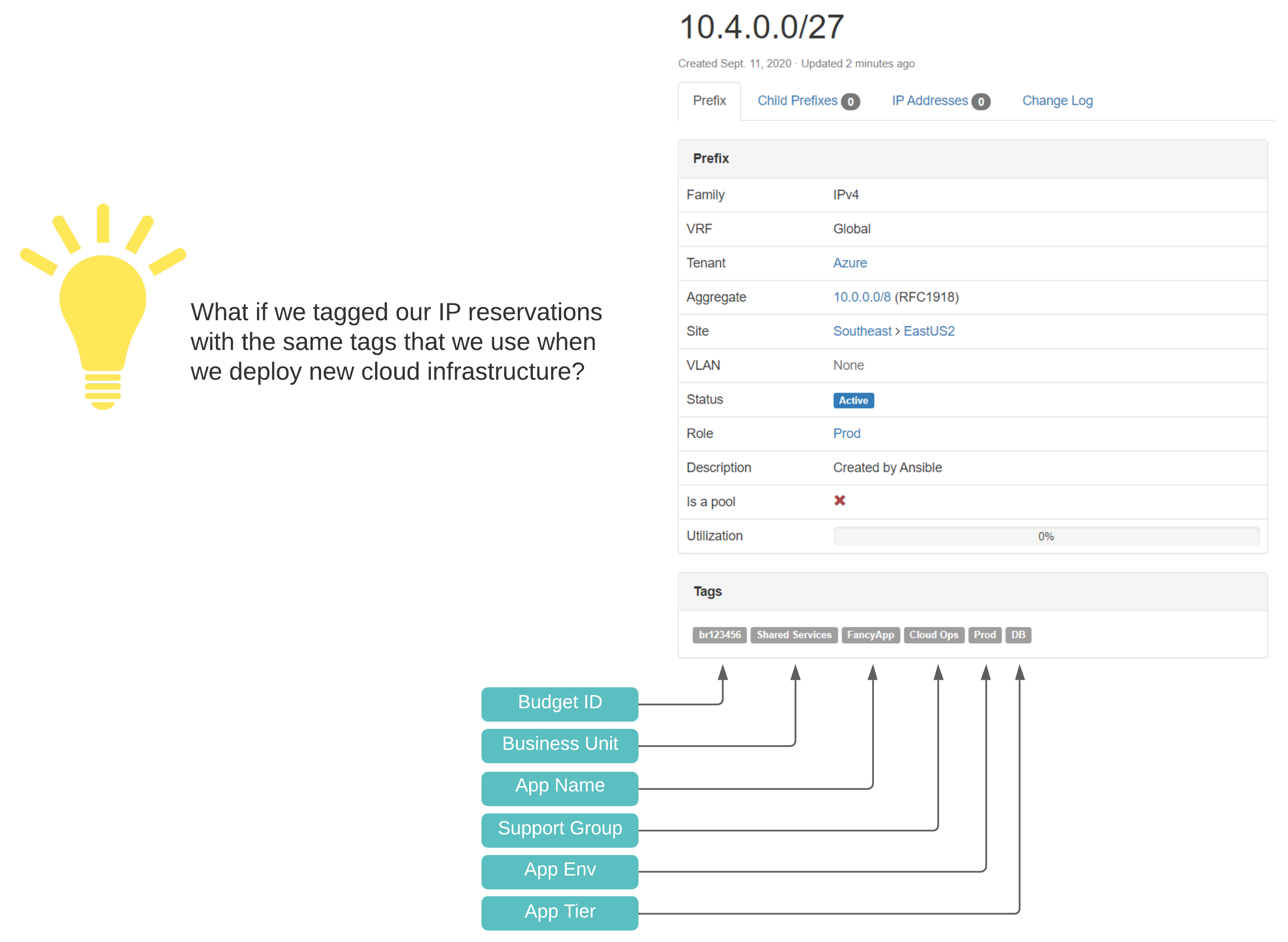
If you want to do cloud right, cost governance should be in your considerations. This means a well-designed and consistently applied tagging convention, which compliments lifecycle management, automation, and visibility in reporting. In treating our pets like cattle, we need a source of truth with standardized identification across all networking components.
Touchpoints#
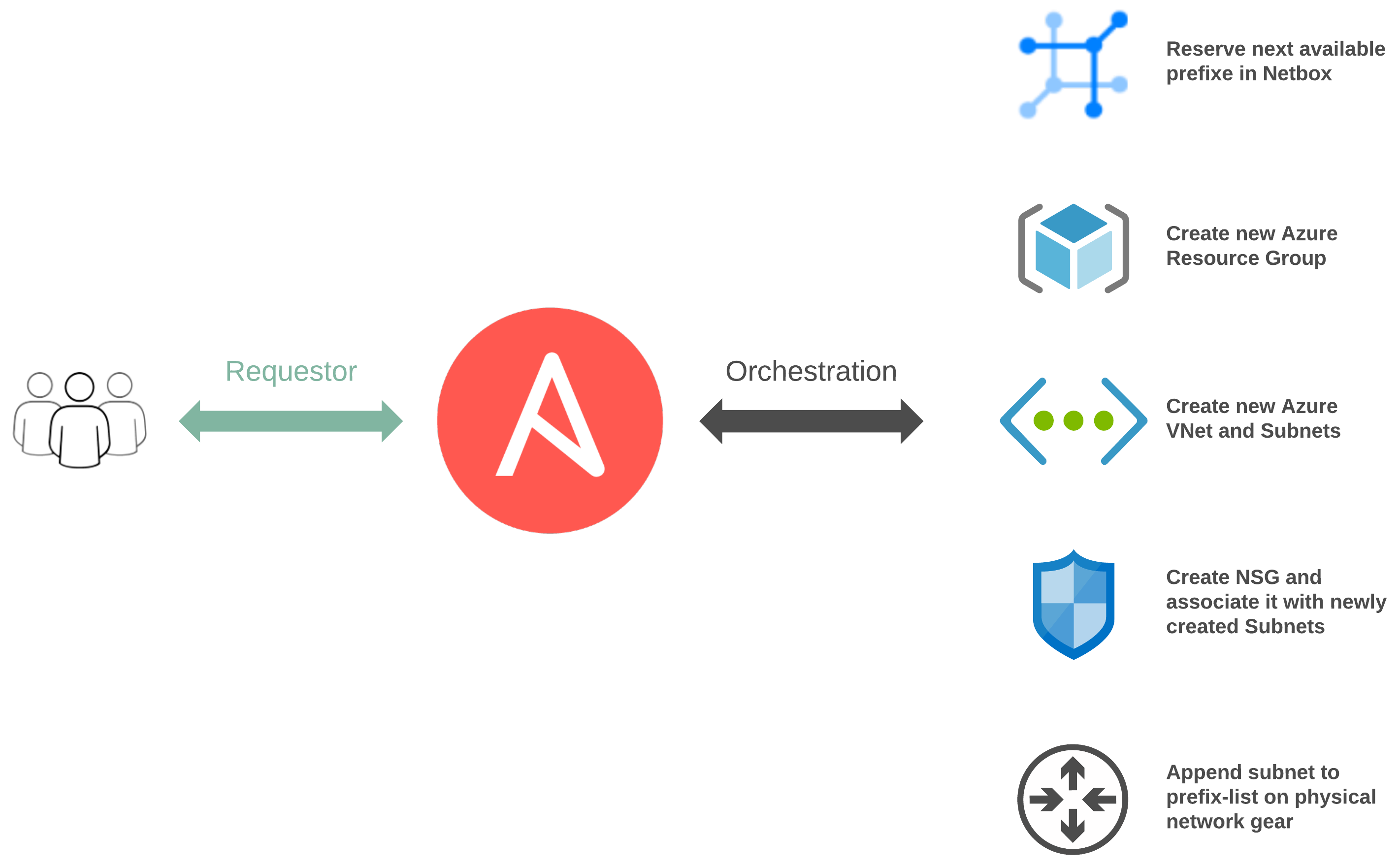
Between both of our workflows, there are numerous touchpoints:
- network_cli for traditional networking
- Ansible Cloud Modules via Azure Resource Manager
- Netbox Collection leveraging the Netbox API
Breaking Down The Logic#
A great benefit of using Ansible is flexibility. This can also cause significant confusion as there are many ways in which we can structure things. It is beneficial to understand the structure, logic flow, and inheritance.
Project Structure#
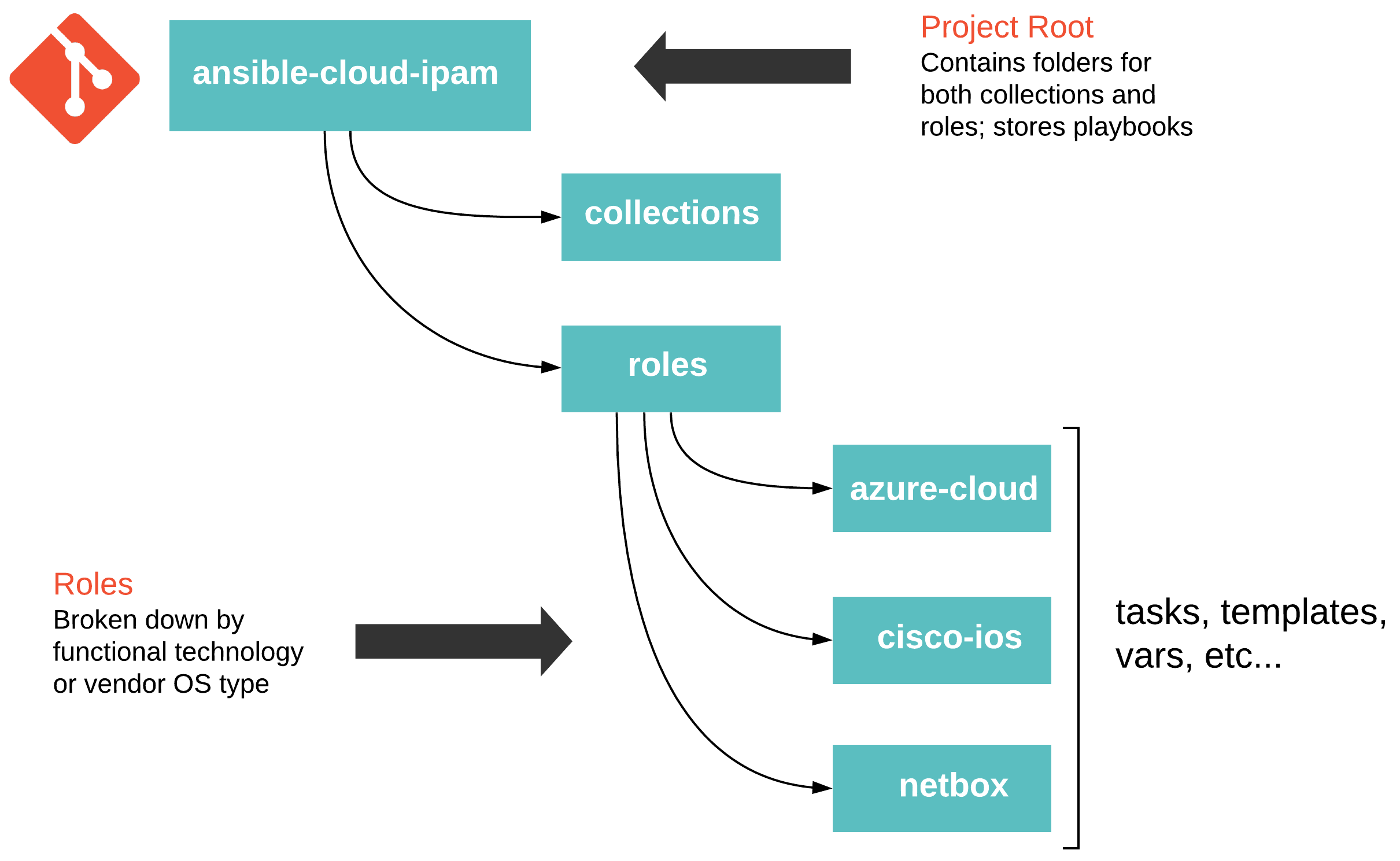
Thinking through your project structure can make future work more manageable. The following guide - Best Practices - Content Organization in Ansible’s documentation is a good starting point. However, this is not a one size fits all scenario, and experimenting, reevaluating, and tweaking will probably be necessary. The following approach has served me well in the past.
Ansible Collections#
Ansible Collections are pretty slick. My only recommendation here is, manage your collections with a requirements.yml file. When it comes to testing new versions of a collection, all you need do is create a new git branch, set the new version in your requirements.yml file, and point Tower to this branch. Ansible has documented collections usage pretty thoroughly here.
ansible-cloud-ipam/collections/requirements.yml
| |
I would stress never pulling down collections from Galaxy and committing them directly into the source control repository for your project. Friends do not let friends engage in this type of behavior!
High-Level Plays#
The playbooks sitting in our root project folder are pretty simple. They are primarily used as the entry point for Ansible and execute based on a specific condition.
ansible-cloud-ipam/play.azure_snet_add.yml
| |
Functional Roles#
Roles for this demo are organized by either a given platform or OS type. Each role’s main file will include specific tasks to use based on the condition defined in the root level play.
ansible-cloud-ipam/roles/netbox/tasks/main.yml
| |
Purpose Built Tasks#
The actual logic is handled inside a given role’s tasks. Each task is purpose-built and does a very intentional thing. Also, the idea is to keep things DRY (Don’t repeat yourself) so that we can easily reuse things. This means we don’t want to set values here statically. The smaller a thing is, the less it does. If something does less, it makes it easier to repeat.
ansible-cloud-ipam/roles/netbox/tasks/task.netbox_reserve_prefix_snet.yml
| |
The Physical Network#
Out of the three platforms we have interacted with here, the Cisco ASR is the only one that isn’t API driven. For automating this beauty, I’ll be using the ios_config module for configuration.
There are more modern ways to do this today, but this is probably the reality for most in practice. This is a straightforward use case, so this type of execution serves its purpose for a demo’s scope. Each time the Service Workflow is run, the subnet it reserves will be appended to a prefix-list living on the ASR.
In a real world cloud scenario, this prefix-list could be used to identify and filter traffic. It could then be used inside a route-map to enable and enforce policy criteria beyond the routing table. When doing BGP to the cloud, this can be important as you may want to enforce specific policies on specific neighbors to particular clouds.
ansible-cloud-ipam/roles/cisco-ios/tasks/task.ios_prefix_list_append.yml
| |
Putting It All Together#
Ansible Tower offers two flavors of templates. Job Templates are used to execute a single task many times, while Workflow Templates stitch together multiple Job Templates.
The value here aims at getting the same outcome that your typical Build/Release pipelines would offer for Infrastructure as Code. When thinking of infrastructure as Code, I generally think immutability and cloud exclusivity.
In my opinion, this approach lends itself more to remaining flexible and accommodating for a multitude of disparate and traditional infrastructure while also providing the ability to integrate with new technologies.

Job Templates#
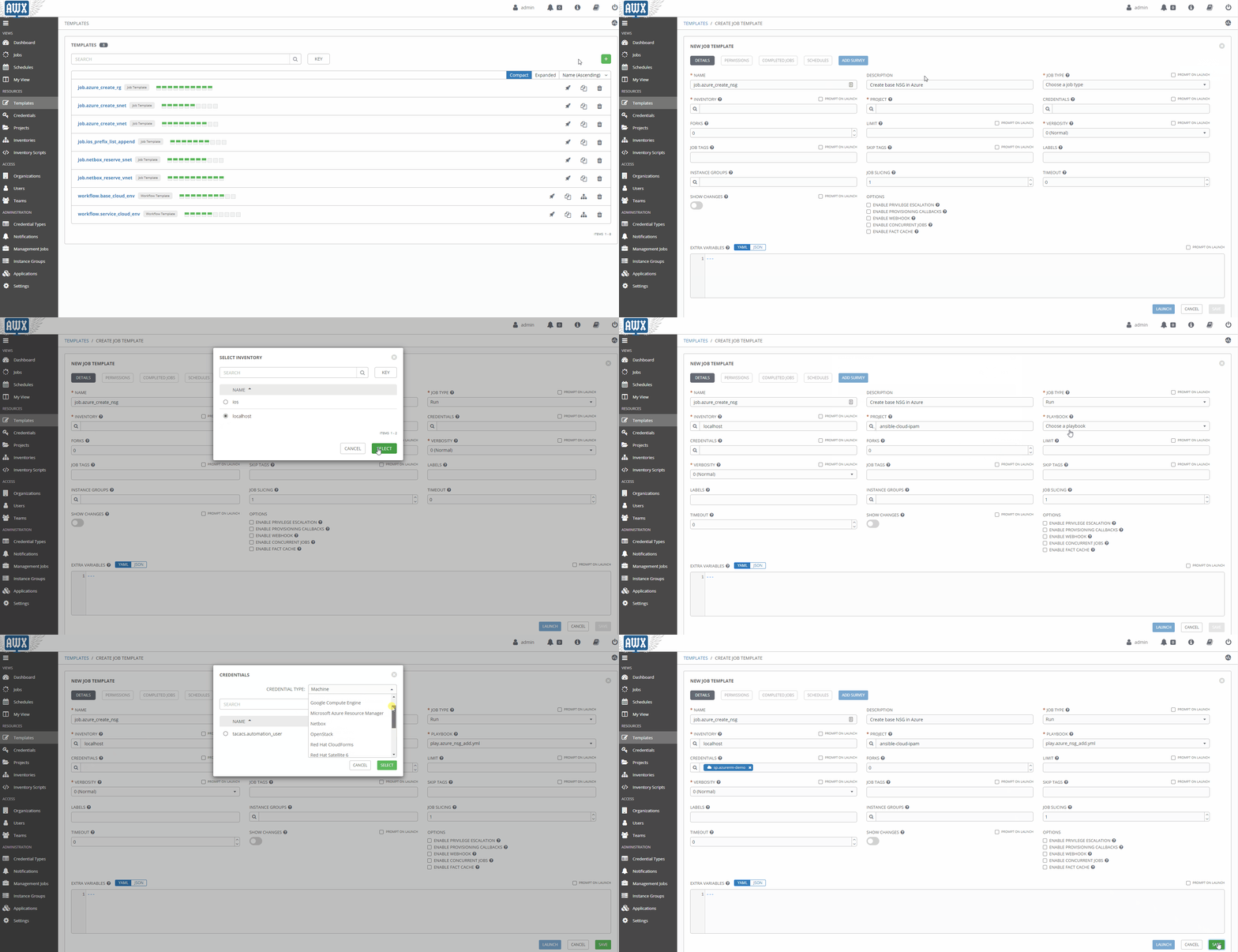
In the spirit of building for repeatability, I created Job Templates for each unique task. This allows me to reuse them over time in new Workflow Templates as new use cases present themselves.
Workflow Templates#
I then assembled my two Workflow Templates outlined above. The Base Workflow in practice would be run far less frequently than the Service Workflow.
Workflow Visualizer#
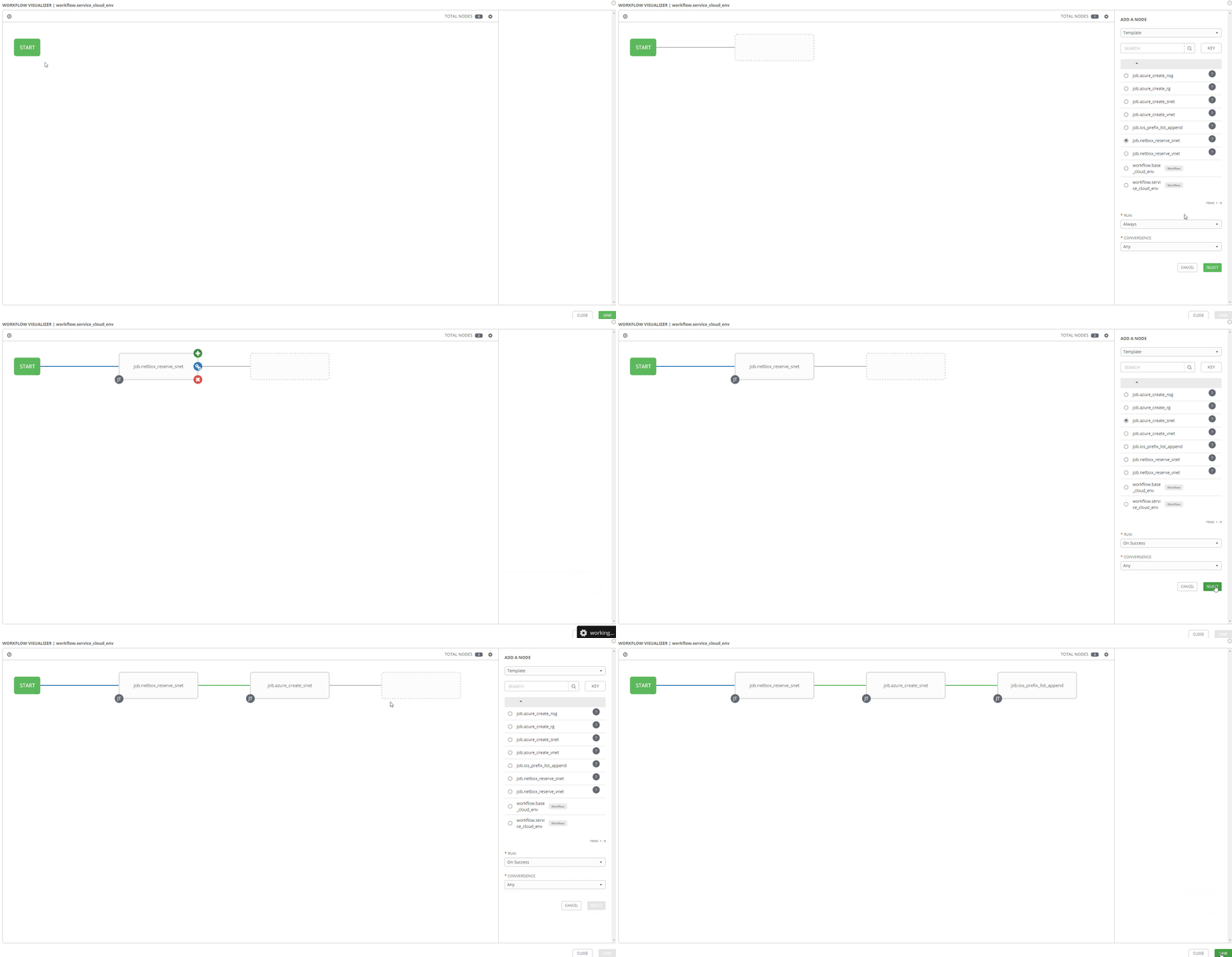
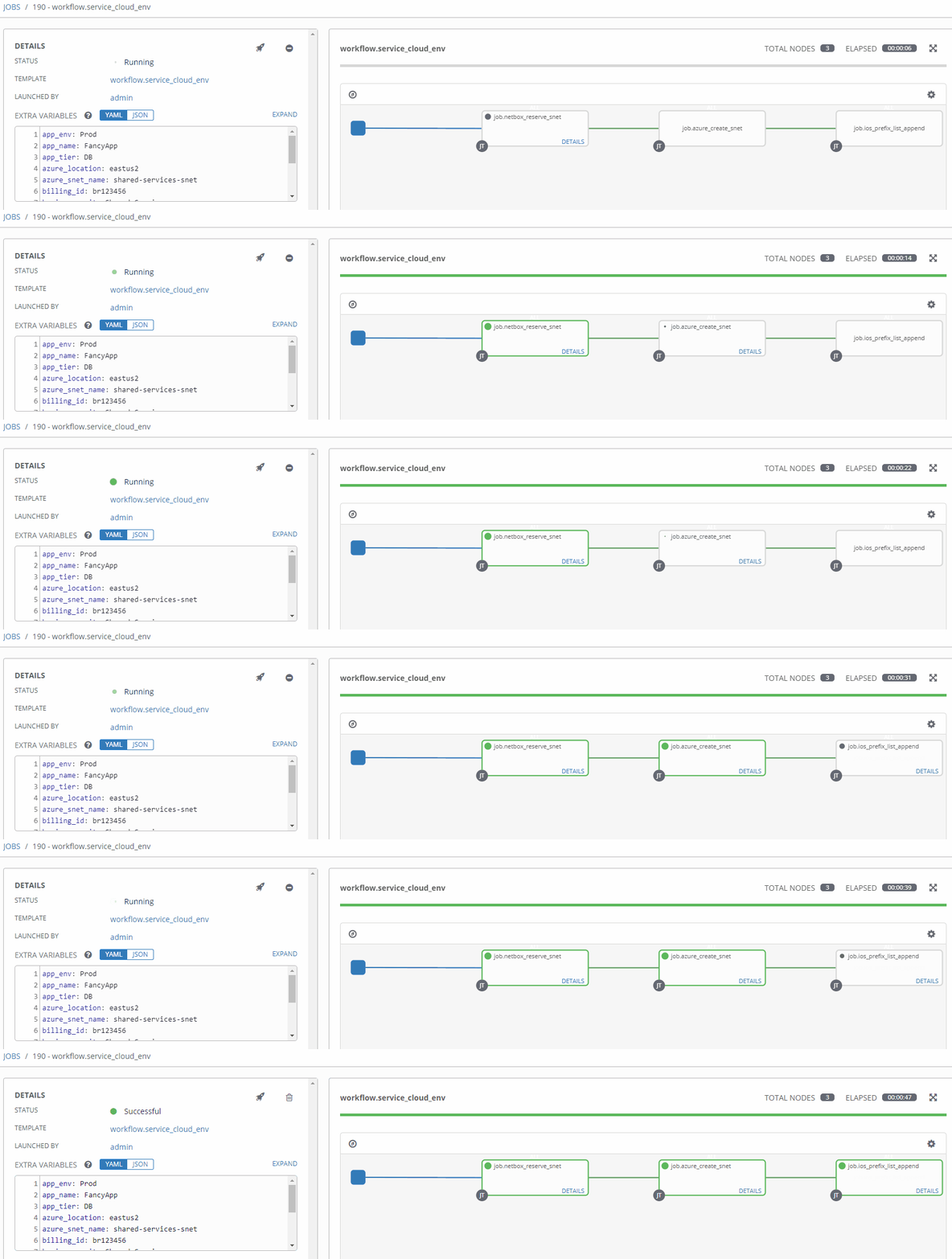
Stitching your workflow together is pretty simple with Tower’s workflow visualizer. Once you create a blanket workflow, you can add and arrange jobs.
Using Surveys#
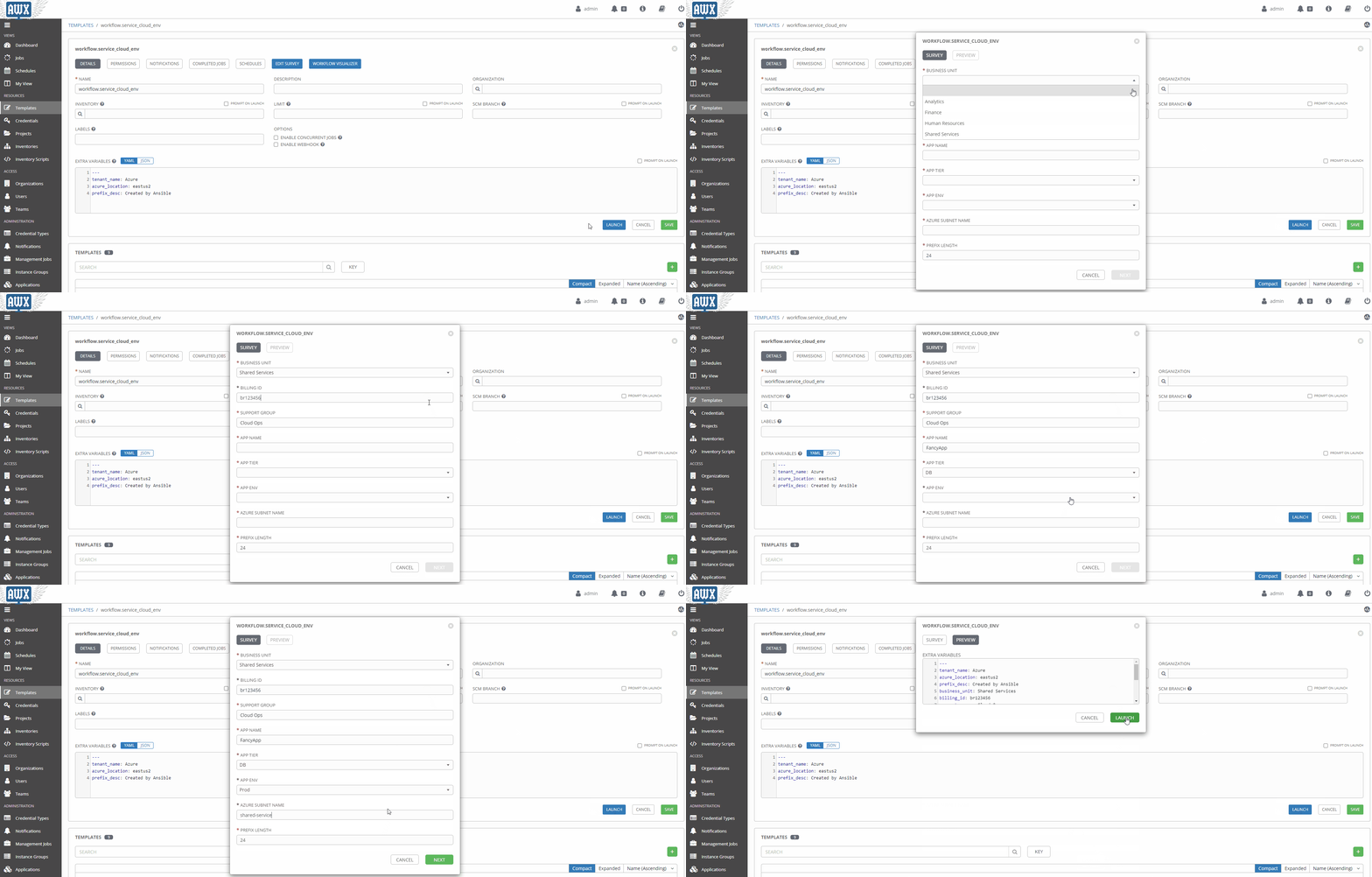
Surveys are a great way to populate variables at runtime interactively. Once a source of truth in a given data domain is populated, and the logic is more mature, this will probably be used less.
Workflows In Action#
Now that our workflow is populated with the right variables let’s take it for a spin!
A Little Manual Validation#
Purely for the sake of delightful visuals, let’s validate a few things.
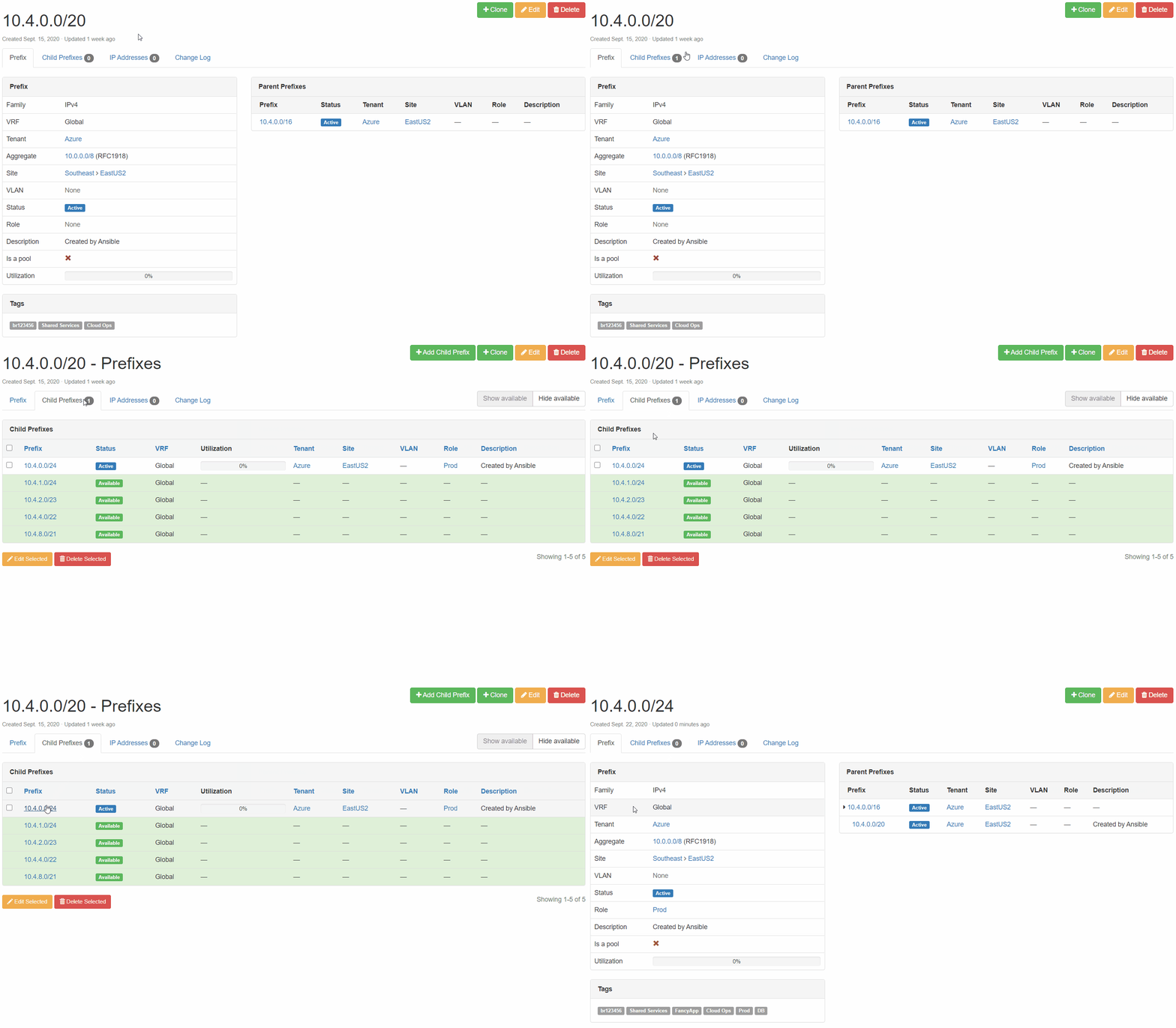
Netbox Prefix Reservation: We can see here that the next available prefix was reserved, configuration criteria are correct, and our enforced tags are in place.
Cisco ASR 1002-HX Configuration: The prefix reserved above has now been added to the cloud-allowed-prefixes list on our router. If the list does not exist, the job will create it. From there, any new prefixes reserved will then be appended.

Conclusion#
Building a logical way for developers to consume IPAM at the speed of cloud is WINNING! Remember, go fast, but go responsibly!