Cloud Grade Automation With Packer and Terraform
  1. Posts/

Cloud Grade Automation With Packer and Terraform

William Collins
Author
William Collins
Building at the intersection of cloud, automation, and AI. Host of The Cloud Gambit podcast.
Table of Contents

Manually provisioning infrastructure slows down application delivery, isolates knowledge, can hamper operations teams, and doesn’t scale. Automating infrastructure provisioning can address these challenges by shifting manual process into code. Hashicorp has products spanning the infrastructure, security, and application stack that can unlock that cloud operating model and deliver applications faster.

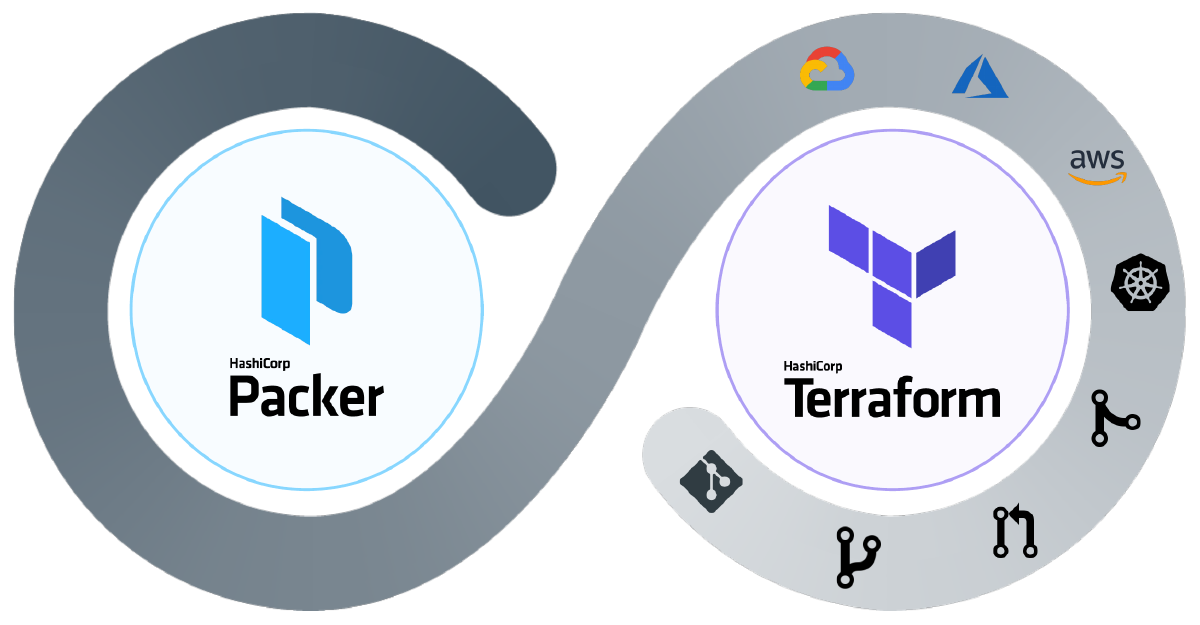
Let’s examine image lifecycle management and IaaS deployment. Both of these tasks are common challenges faced by the enterprise when moving to the cloud. Using Packer, we can automate the build process for images and then deploy common infrastructure and virtual machines with Terraform.
Cloud Grade Intro
Intro

What Is Cloud Grade Automation?
#

I started using this expression as a catch phrase some time back, mainly in Powerpoint slides. The way I would describe its meaning goes well beyond a single tool, process, or methodology. To me, it embodies the core guiding principles for cloud and application delivery in today’s landscape. Let’s start with the outcomes we are aiming for:

  • Loosely coupled application architecture; Cloud Native
  • Infrastructure hosting a given application is delivered intact
  • Infrastructure is never touched, changed, or otherwise modified in any way
  • When changes are necessary, the environment is re-deployed from the newest artifact
  • Rollback occurs in the same way except with an older versioned artifact

The culture, tooling, process, and delivery that can achieve these outcomes, is my impression of what Cloud Grade Automation is. I’ll be focusing specifically on the tooling and delivery in this post.

Evolving Automation
#

Automation can typically be handled at two different stages of a given workflow. Choosing which stage can ultimately drive operational decisions. As application architectures have evolved, the automation used to build the infrastructure has transformed. Complexity has largely shifted from runtime to build-time.

Runtime - (Mutable)
#

When we think automation, folks that have been around a while typically think in terms of mutable. This means we deploy our server and then configure, update, or modify it in-place. I have seen anything from scripts (Shell, Perl, and Python) to configuration management tools like Ansible, Chef and Puppet used to accomplish this.

Webster defines mutable as ":prone to change: INCONSTANT".

To further expand on runtime configuration, let’s take the example of installing an agent-based solution. For the sake of demonstration, let’s say that each virtual machine provisioned in our infrastructure requires running ThousandEyes - Enterprise Agents for monitoring.

  • A greenfield application is getting developed; New infrastructure is required (Develop)
  • The new server (or multiple servers) are provisioned for the application to run on (Deploy)
  • Config Management tooling applies the standard configuration, including the Agent (Configure)
Mutable Workflow
Mutable

Mutable infrastructure is susceptible to configuration drift. As individual changes get applied on servers throughout their lifecycle, the configuration will significantly differ from the desired state and other servers across the environment.

Build-time - (Immutable)
#

Immutable infrastructure aims to reduce the number of moving pieces at runtime. Handling infrastructure this way speeds up delivery, eliminates configuration drift, increases environment consistency, optimizes rollback, and simplifies horizontal scaling.

Webster defines immutable as ":not capable of or susceptible to change".

To further expand on build-time configuration, let’s take the same example used above:

  • A greenfield application is getting developed; New infrastructure is required (Develop)
  • The standard configuration and Enterprise Agent get packaged at build-time (Configure)
  • Infrastructure is provisioned using the machine template and deployed at runtime (Deploy)
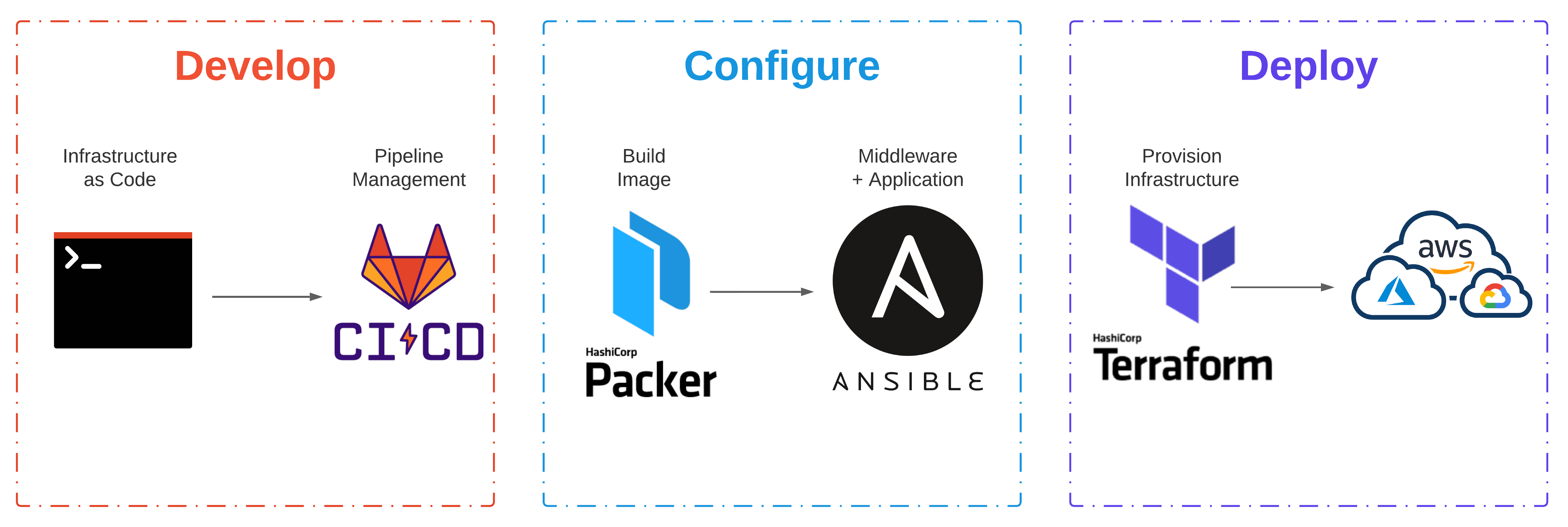
Immutable Workflow
Immutable

Building immutable infrastructure can be a significant undertaking when considering the transition of brownfield applications. One dependency ensures that the application layer remains stateless, including servers. Anything at this level should and will be consistently destroyed and rebuilt.

Getting Started With Packer
#

Packer automates the creation of any machine image. Once the image is packaged, it can then be provisioned with Terraform. While this is the new, modern, cool, and cloud way to accomplish this, other methods have existed for a very long time. Back in 2014, I was doing non-interactive installs of various Linux distributions on Linux KVM with virsh and virt-install. Virt-install would use libvirt’s streaming API to upload the kernel and modified initrd to the remote host.

Packer Overview
Packer

Building A Machine Image
#

As an example, let’s package an Ubuntu 18.04 image with a ThousandEyes - Agent. Although an overly simplistic example, it should demonstrate our desired intent and behavior. Demo code can be found here.
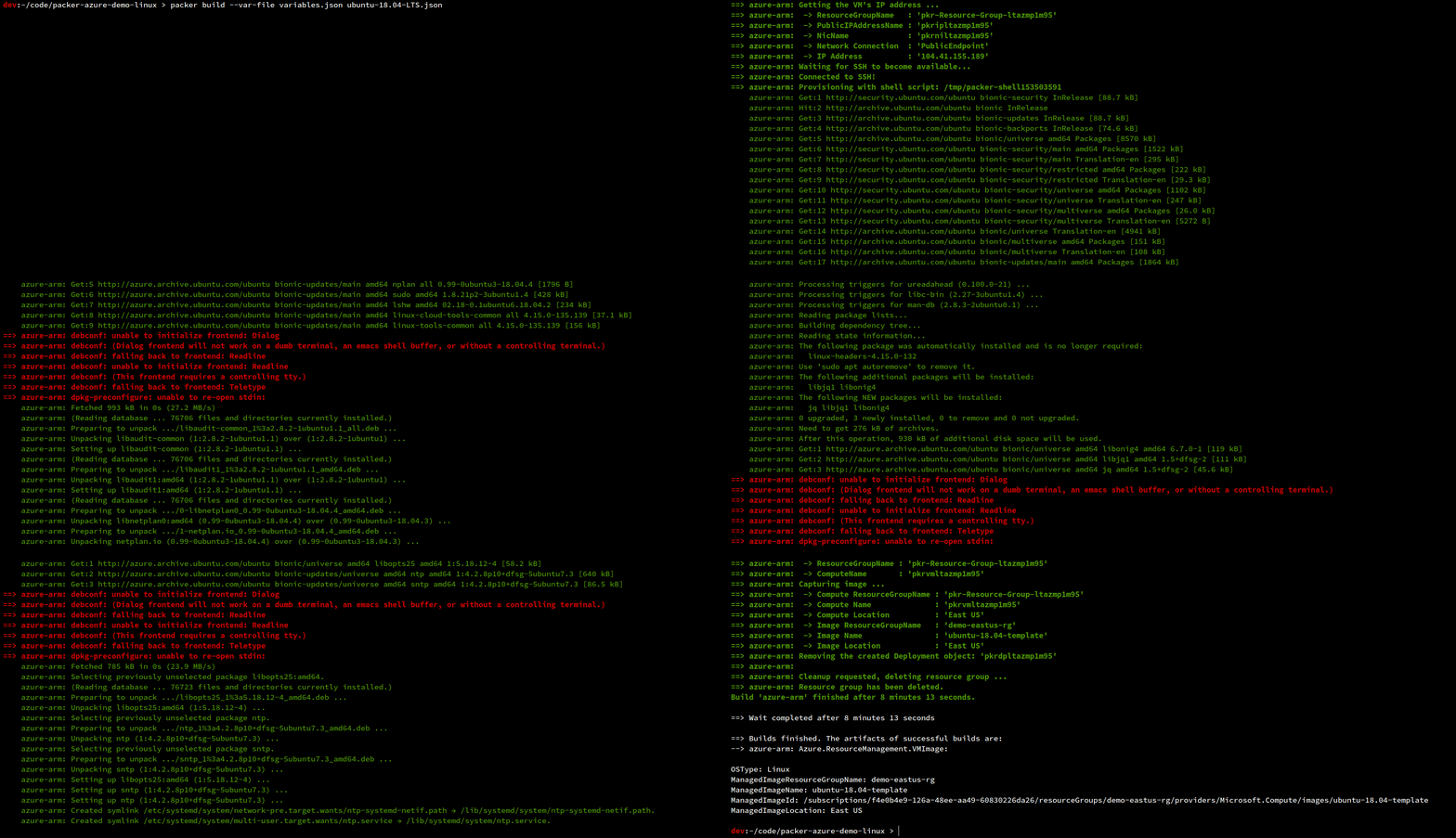
Packer Build
Packer

ubuntu-18.04-LTS.json

 1
 2
 3
 4
 5
 6
 7
 8
 9
10
11
12
13
14
15
16
17
18
19
20
21
22
23
24
25
26
27
28
29
30
31
32
33
34
35
36
37
38
39
40
41
42
43
44
{
  "builders": [{
    "type": "azure-arm",

    "client_id": "{{user `client_id`}}",
    "client_secret": "{{user `client_secret`}}",
    "tenant_id": "{{user `tenant_id`}}",
    "subscription_id": "{{user `subscription_id`}}",

    "managed_image_resource_group_name": "demo-eastus-rg",
    "managed_image_name": "ubuntu-18.04-template",

    "os_type": "Linux",
    "image_publisher": "Canonical",
    "image_offer": "UbuntuServer",
    "image_sku": "18.04-LTS",

    "azure_tags": {
        "budget_id": "br12345",
        "business_unit": "Engineering",
        "environment": "Non-Prod",
        "support_group": "OS Lifecycle Mgmt"
    },

    "location": "East US",
    "vm_size": "Standard_B1s"
  }],
  "provisioners": [{
    "execute_command": "chmod +x {{ .Path }}; {{ .Vars }} sudo -E sh '{{ .Path }}'",
    "inline": [
      "apt-get update",
      "apt-get -y upgrade",
      "apt-get -y install jq",
      "apt-get -y install ntp",
      "curl -Os https://downloads.thousandeyes.com/agent/install_thousandeyes.sh",
      "chmod +x install_thousandeyes.sh",
      "./install_thousandeyes.sh {{user `token`}}",

      "/usr/sbin/waagent -force -deprovision+user && export HISTSIZE=0 && sync"
    ],
    "inline_shebang": "/bin/sh -x",
    "type": "shell"
  }]
}

Instead of using the shell provisioner to deploy the agent (see line 35 in the template), a more elegant method would call the “type”: “ansible” provisioner pointing to a playbook.yml file in the repository. This would allow you to separate packages into separate playbooks managed in version control.

Getting Started With Terraform
#

Terraform Overview
Terraform

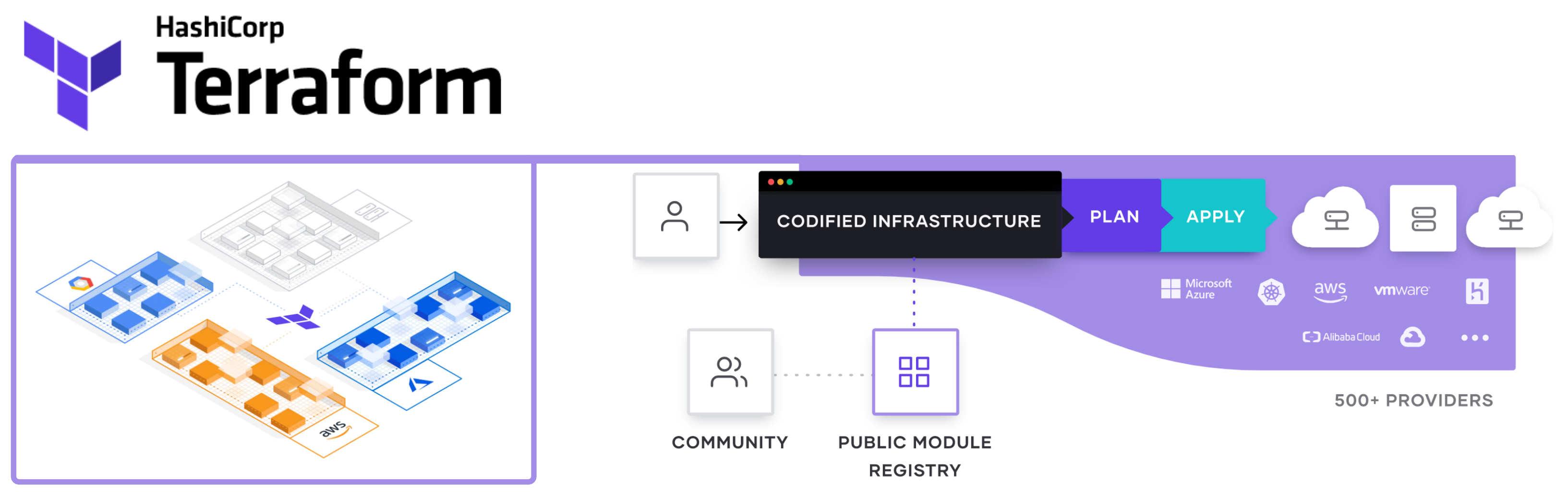
Terraform codifies cloud APIs into declarative configuration files. If you want to create reproducible infrastructure for consistent testing, staging, and production environments with the same configuration, look no further! While it’s generally not that simple, Terraform does seem to be the defacto tool these days for Infrastructure as Code in the cloud.

Deploying Some Infrastructure
#

Let’s deploy some foundational infrastructure along with a virtual machine provisioned from the machine image we built above with Packer. Demo code can be found here.
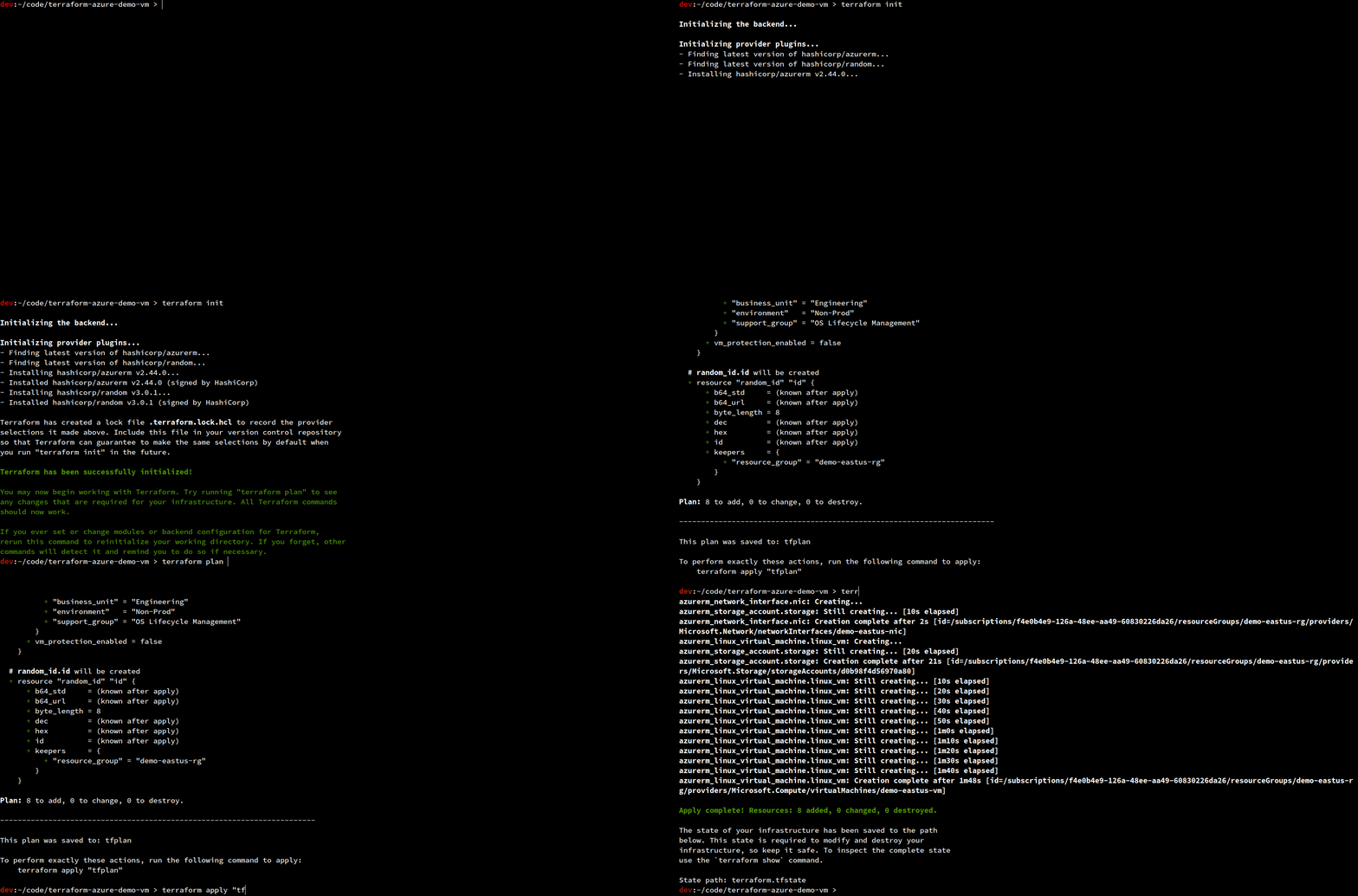
Terraform Deploy
Deploy

main.tf

  1
  2
  3
  4
  5
  6
  7
  8
  9
 10
 11
 12
 13
 14
 15
 16
 17
 18
 19
 20
 21
 22
 23
 24
 25
 26
 27
 28
 29
 30
 31
 32
 33
 34
 35
 36
 37
 38
 39
 40
 41
 42
 43
 44
 45
 46
 47
 48
 49
 50
 51
 52
 53
 54
 55
 56
 57
 58
 59
 60
 61
 62
 63
 64
 65
 66
 67
 68
 69
 70
 71
 72
 73
 74
 75
 76
 77
 78
 79
 80
 81
 82
 83
 84
 85
 86
 87
 88
 89
 90
 91
 92
 93
 94
 95
 96
 97
 98
 99
100
101
102
103
104
105
106
107
108
109
110
111
112
113
114
115
116
117
118
119
120
provider "azurerm" {
  features {}

  subscription_id = var.subscription_id
  client_id       = var.client_id
  client_secret   = var.client_secret
  tenant_id       = var.tenant_id

}

data "azurerm_resource_group" "rg" {
  name = var.resource_group_name
}

resource "azurerm_virtual_network" "vnet" {
  name                = var.vnet_name
  address_space       = [var.address_space]
  resource_group_name = data.azurerm_resource_group.rg.name
  location            = data.azurerm_resource_group.rg.location
  tags                = data.azurerm_resource_group.rg.tags
}

resource "azurerm_subnet" "snet" {
  name                 = var.snet_name
  address_prefixes     = [var.snet_prefixes]
  resource_group_name  = data.azurerm_resource_group.rg.name
  virtual_network_name = azurerm_virtual_network.vnet.name
}

resource "azurerm_network_security_group" "nsg" {
  name                = var.nsg_name
  resource_group_name = data.azurerm_resource_group.rg.name
  location            = data.azurerm_resource_group.rg.location
  tags                = data.azurerm_resource_group.rg.tags

  security_rule {
    name                       = "SSH"
    priority                   = 1001
    direction                  = "Inbound"
    access                     = "Allow"
    protocol                   = "Tcp"
    source_port_range          = "*"
    destination_port_range     = "22"
    source_address_prefix      = "*"
    destination_address_prefix = "*"
  }

}

resource "azurerm_public_ip" "pip" {
  name                         = var.pip_name
  allocation_method            = var.allocation_method
  resource_group_name          = data.azurerm_resource_group.rg.name
  location                     = data.azurerm_resource_group.rg.location
  tags                         = data.azurerm_resource_group.rg.tags
}

resource "random_id" "id" {

  keepers = {
    resource_group = data.azurerm_resource_group.rg.name
  }

  byte_length = 8
}

resource "azurerm_storage_account" "storage" {
  name                     = random_id.id.hex
  account_tier             = var.account_tier
  account_replication_type = var.account_replication_type
  resource_group_name      = data.azurerm_resource_group.rg.name
  location                 = data.azurerm_resource_group.rg.location
  tags                     = data.azurerm_resource_group.rg.tags
}

resource "azurerm_network_interface" "nic" {
  name                = var.interface_name
  resource_group_name = data.azurerm_resource_group.rg.name
  location            = data.azurerm_resource_group.rg.location
  tags                = data.azurerm_resource_group.rg.tags

  ip_configuration {
    name                          = "internal"
    private_ip_address_allocation = "Dynamic"
    subnet_id                     = azurerm_subnet.snet.id
    public_ip_address_id          = azurerm_public_ip.pip.id
  }

}

data "azurerm_image" "packer_image" {
  name                = var.managed_disk_name
  resource_group_name = data.azurerm_resource_group.rg.name
}

resource "azurerm_linux_virtual_machine" "linux_vm" {
  name                  = var.vm_name
  size                  = var.vm_size
  admin_username        = var.vm_default_user
  resource_group_name   = data.azurerm_resource_group.rg.name
  location              = data.azurerm_resource_group.rg.location
  tags                  = data.azurerm_resource_group.rg.tags

  network_interface_ids = [
    azurerm_network_interface.nic.id,
  ]

  admin_ssh_key {
    username   = var.vm_default_user
    public_key = var.public_key
  }

  os_disk {
    caching              = "ReadWrite"
    storage_account_type = "Standard_LRS"
  }

  source_image_id = data.azurerm_image.packer_image.id

}

This template is an example. In practice, this would probably be broken up into at least two distinct modules (network and compute). If specific groups of resources have a similar life cycle, you would probably create a module for them. An example of this might be core network components like VNets, Subnets, and UDRs.

Conclusion
#

Learning to use Packer or writing Terraform templates is a tiny piece of a vast puzzle. If the desired outcome is Continuous Delivery then application architecture, cultural philosophies, and release management all play equally important roles.

Enterprise Leaders all want DevOps for the benefits of automation, quicker releases, reduced downtime, reliable recovery from disasters, and cost benefits in the cloud (That last one makes me chuckle). The real question is, will they do what is necessary to buck traditional culture and adopt truly immutable infrastructure?

Related

Cloud Security And Azure Private Link

Azure Private Link enables access to hosted customer and partner services over a private endpoint in an Azure virtual network. This means private connectivity over your own RFC1918 address space to any supported PaaS service while limiting the need for additional gateways, NAT appliances, public IP addresses, or ExpressRoute (Microsoft Peering).

Multi-Cloud Networking With Alkira

Introduction # Multi-Cloud is making its rounds. Network and Security engineers face increasing challenges with managing complexity and risk as they work to react with more agility to enable business outcomes. At the start, enterprises didn’t just decide they would be multi-cloud. They started with a single cloud, likely Amazon Web Services and tailored their strategy around that cloud’s architecture and features.