Is cloud networking complicated, or is it just different? In building your infrastructure in the cloud, end-to-end system complexity increases exponentially. As enterprise applications mature, the foundational infrastructure and networking used to host and transport them must evolve. One obvious crux of networking is blast radius - you cannot easily modify it without down-time.
This is Part 1 of a multi-part series that will explore Azure networking. To the best of my ability, this series will be written to articulate real-world scenarios and bring attention to specifics that are critical to an understanding before diving into cloud networking architecture. Even in working through basics, sometimes a simple thing can be overlooked, which carries long-lasting implications over time.

Core Concepts#
New and shiny services like Virtual WAN and Route Server will continually be released as capabilities evolve. While new services and features are released to make life easier, some things rarely change. A few core network components are always required when deploying just about any application.
Common Components#
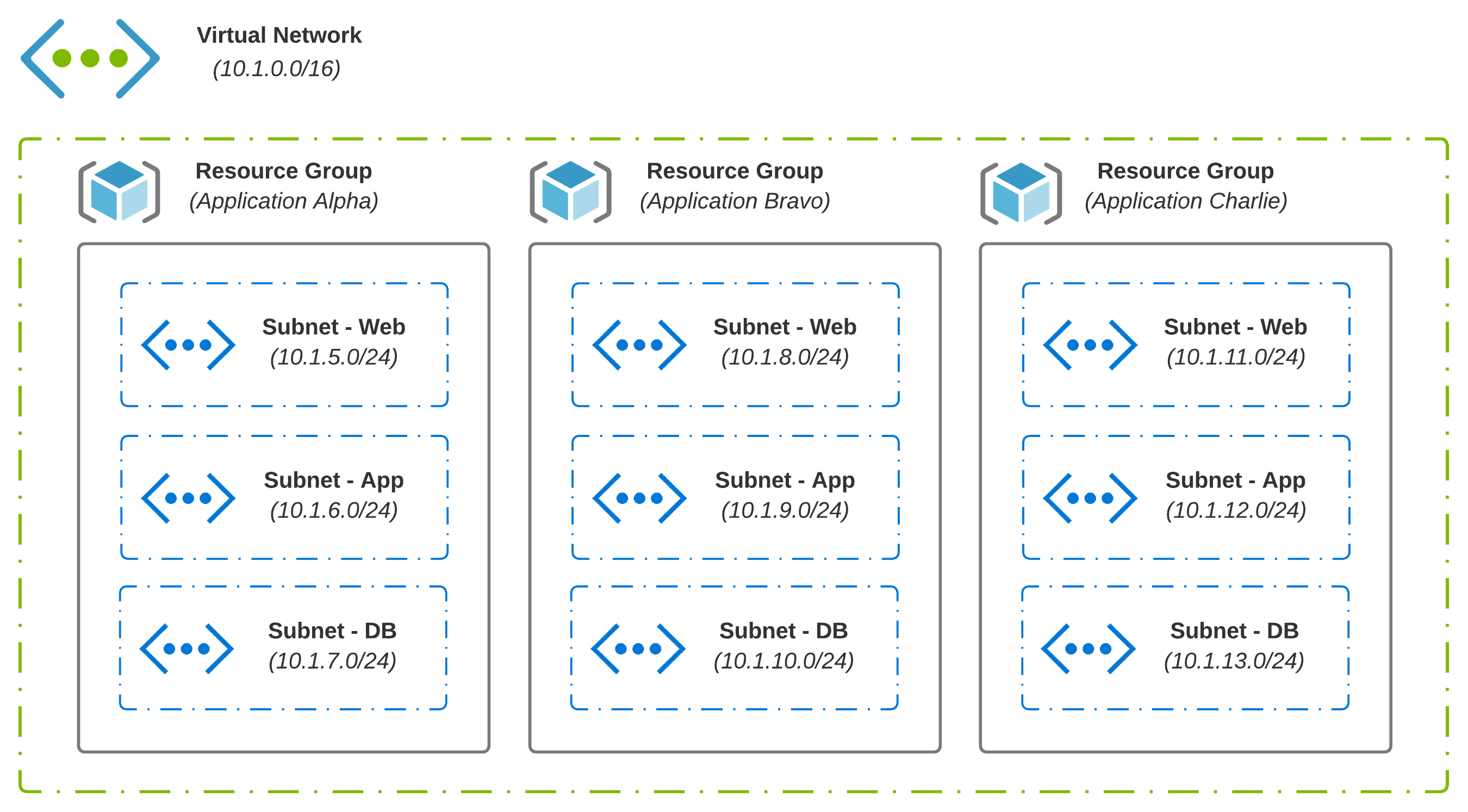
In the cloud, you generally have a hierarchy in which logical components exist, which may contain additional logical components. With Azure, for instance, Management Groups include Subscriptions. Subscriptions hold Resource Groups, which is where Virtual Networks live. A VNet may be a shared resource across many apps and services in scope across many teams.
- Resource Groups are containers that hold common objects; An example might be all resources and services which make up an application
- Virtual Networks (VNets) enable connectivity between your resources, forming the foundation you need to run applications in the cloud
- Subnets are created from the address space defined at the VNet level; This allows a VNet to be segmented as needed
- User-Defined Routes (UDRs) are simply static routes that override Azure’s default system routes or add additional routes to a subnet’s route table; A given subnet can have 0 or 1 route tables associated with it
Basic Routing#
Knowing how Azure routes traffic between virtual networks, on-premises, and over the Internet is good knowledge to have. Understanding how you can override certain default behaviors is excellent knowledge to have. Putting these things together to build a network that enables business outcomes should be the goal.
Subnets#
In Azure and AWS, VPCs and VNets are limited to a single Region. This is about where the similarities stop. With AWS, a subnet is limited to a single availability zone while Azure extends a single subnet across all availability zones.
System Routes#
System Routes are automatically created and assigned to each subnet. You cannot create system routes, nor can you remove them. A default routing table for a new subnet in Azure would look something like this:
| Source | Address Prefixes | Next Hop Type |
|---|---|---|
| Default | Address Space (assigned at provision time) | Virtual Network |
| Default | 0.0.0.0/0 | Internet |
| Default | 10.0.0.0/8 | None |
| Default | 192.168.0.0/16 | None |
| Default | 100.64.0.0/10 | None |
Next Hop Types are self-explanatory. The type Virtual Network routes traffic between address ranges carved out from the VNet’s address space. For internet egress, type Internet is used. If you want to Null route traffic, type None is used; Traffic will be discarded.
You can validate effective routes via network interface settings or route tables.
Route Selection#
How exactly does route selection in Azure work? With traffic exiting a given subnet, a decision must be made based on the destination IP Address. Azure makes this decision based on the longest prefix. If multiple routes contain the same address prefix, the tie is broken based on the following priority:
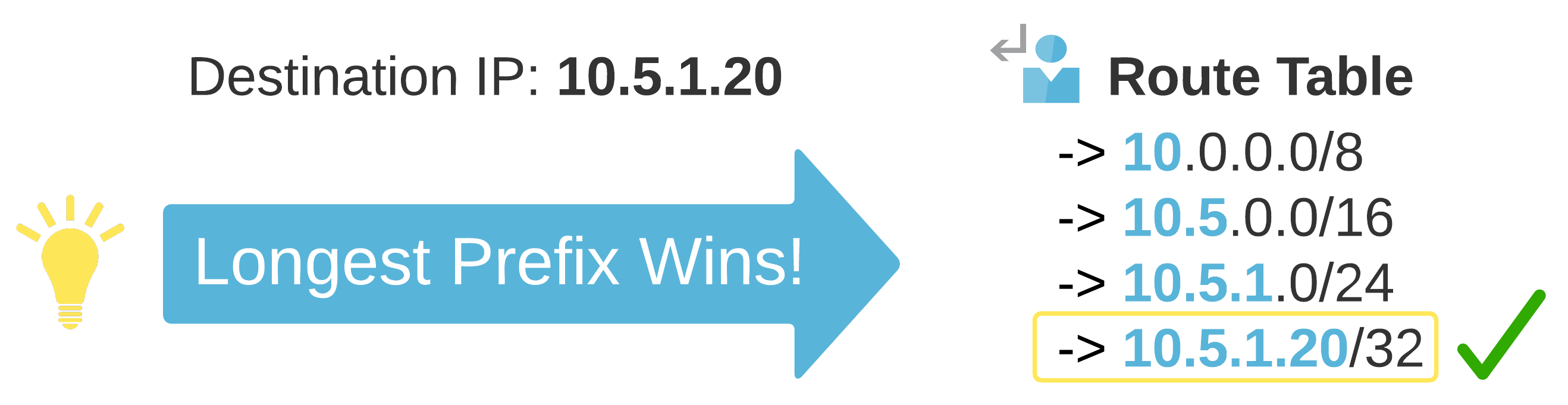
System Routes for VNet peering is always a preferred route, even if BGP routes are more specific. This is a small but critical detail as a design evolves.
IP Addressing#
Some decisions age like fine wine, while others seem to age like sour milk. An area that comes to mind here is IP Address Planning. Taking some time to plan out your IP Addressing Scheme upfront can go a long way.
IP Addressing Truths#
There is no one size fits all here. A few things that are general truths include:
- IP Addressing Scheme should match the topology or vice versa
- VNet Address Space cannot be added, modified, or removed if a VNet peer is established
- Design dictates consumption; Good automation becomes difficult with poorly planned designs
- IP Addressing and Segmentation is a collaborative exercise; Align with the Security Overlords
Planning Up Front#
Let’s use Healthcare as an example. Privacy is critical, and HIPAA sets clear guidelines on the use and release of health records. If your business deals with protected information, then data classification is a great place to start. If you have a combination of applications (some leveraging protected information and some that do not), both categories can be treated fundamentally differently.

The above example puts data classification at center stage. If you can categorize all of your protected data at a higher level, this simplifies the work required to ensure compliance. Think of it like this:
- Protected Data can only exist in the Production (With Protected Data) segment
- An alternative Production segment exists for workloads not requiring access to Protected Data
- Non-Production exists for all lower-stage environments across both Production segments; Synthetic Data enables rapid prototyping of heavily regulated data in lower-stage environments (Preventing the risk of accidental exposure)
Virtual Network Peering#
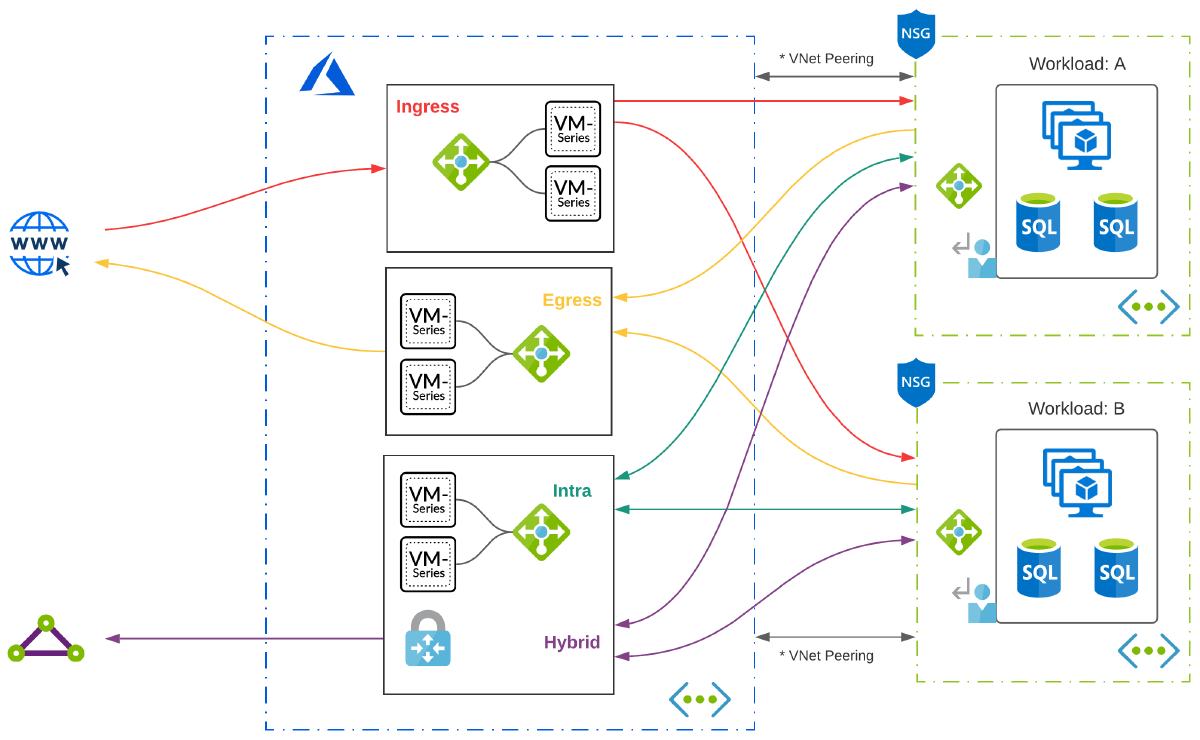
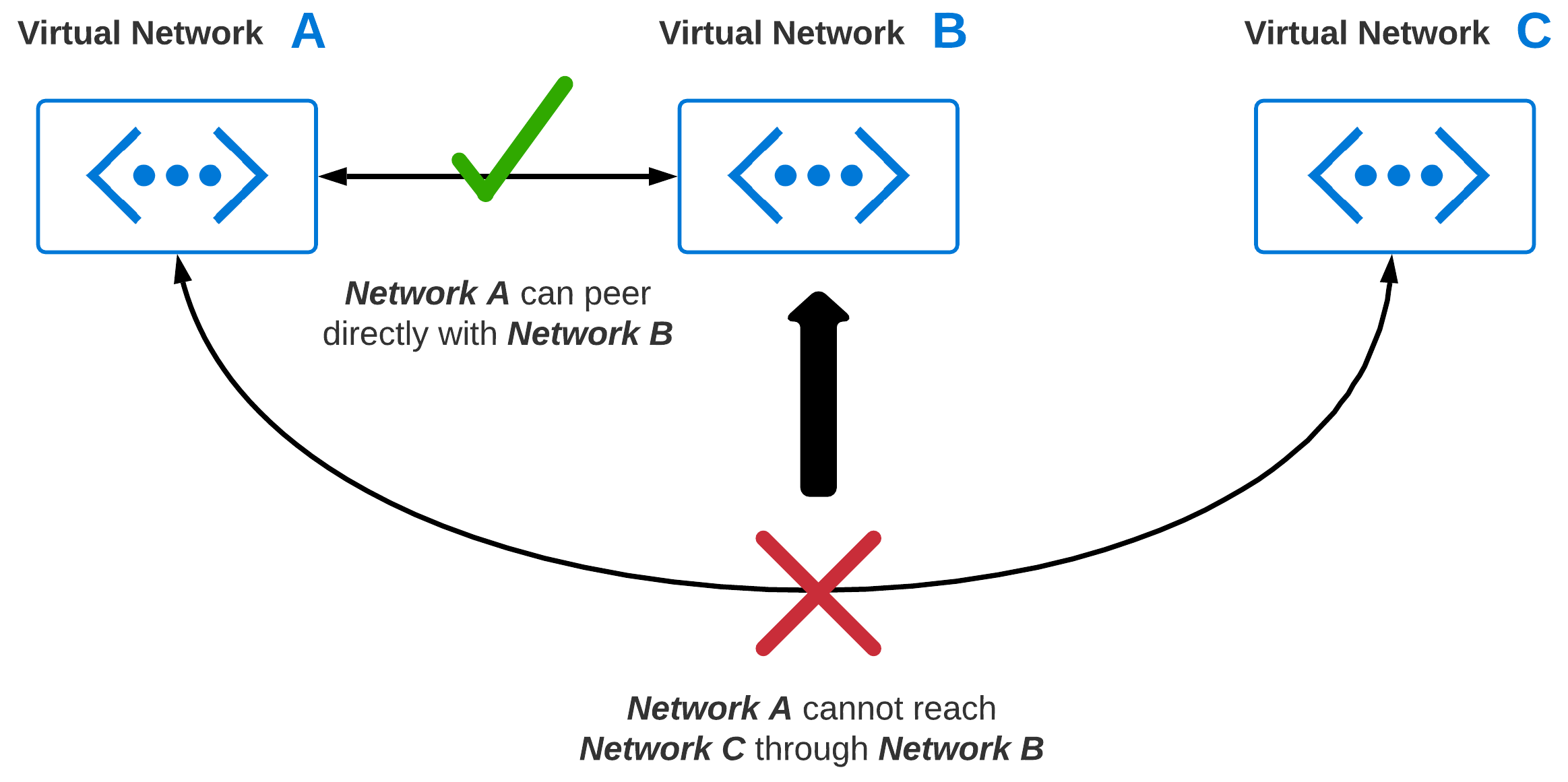
At some point, connectivity between two or more virtual networks is going to become a requirement. As you grow, chances are, your virtual network footprint will expand significantly. Virtual Network Peering enables connectivity between two or more virtual networks. The big caveat with peering is, virtual networks natively are none-transitive. This means, if you have 3 VNets, you can’t route from VNet: A to VNet: C through VNet: B.
Peering Gone Wild#
Without giving network peering more thought, common sense may imply just peering VNets which require communication. So, we peer every virtual network with every other virtual network. What is the worst that could happen? I like spaghetti myself, but I don’t think of it as a design principle when building my networks!

Is Peering Bad?#
No, peering is not bad. Like any feature, you should think through how it is used to provide the outcomes you want. Also, try hard not to over-extend it to do things that it was not designed to do. If you are peering everything with everything, then maybe the problem that needs to be solved is transitive routing. In thinking through VNet peering, some obvious things come to mind:
- Cost - Inbound/Outbound Charges
- Reliability - A failure occurs with a connection; How would redundancy or mitigation work?
- Operations - As new VNets are added, overhead and complexity grows exponentially
- Security - Least privilege is real; What can talk to what now shifts to UDRs and NSGs
Conclusion#
Now that we have a basic understanding of foundational network components, what’s next? For Part 2, we will go through the evolution of common network patterns ranging from my own little desert island, to modern hub-and-spoke designs that we see today in larger environments.