
Usually, when it comes to technology, my grandmother doesn’t know much because she doesn’t care. What is the cloud? How to install a new browser on her laptop? What is 2FA? I might be speaking French to her as I discuss these things. Yet, she knows what ChatGPT is. This shows the vast amount of publicity, hype, and polarization that has ensued since November 2022. I tend to avoid AI fear-mongering and focus more on, how could a tool like this help enhance my daily grind? Can ChatGPT write Terraform as elegantly as a poem written from the perspective of Samuel L. Jackson in Pulp Fiction? Let’s take it for a spin on AWS using infrastructure-as-code.

Create a VPC and Two Subnets#
Let’s ease in gently. Just like when my wife says she is making cookies, I tell myself I will keep things simple and only have one. My first request for ChatGPT is a simple one: Create a VPC and two subnets in AWS using Terraform.
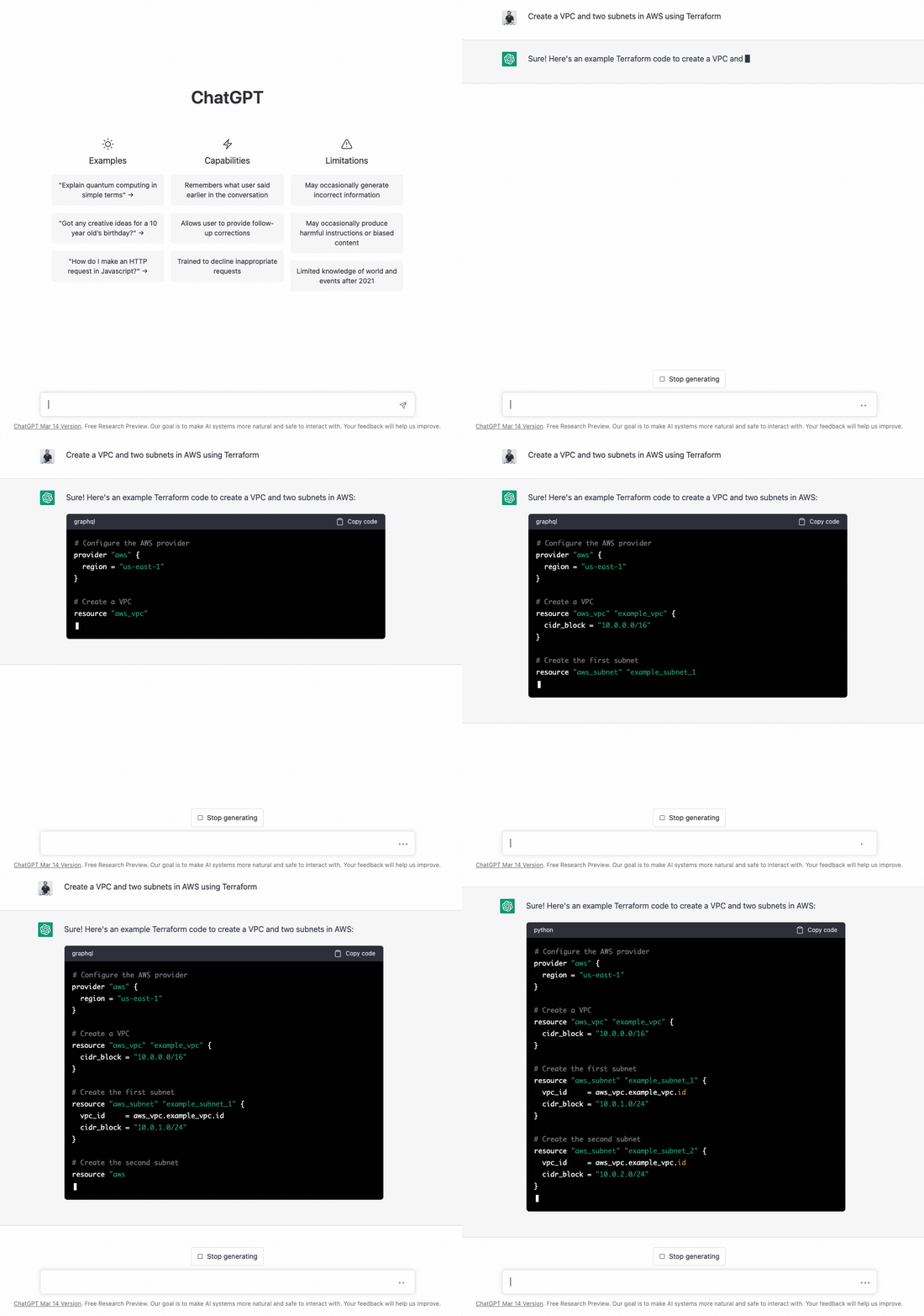
That was pretty seamless. I provided little detail in my first request, but ChatGPT filled in all the required arguments added tags for the Name of each resource, and even put my subnets in separate availability zones.
Does it Work?#
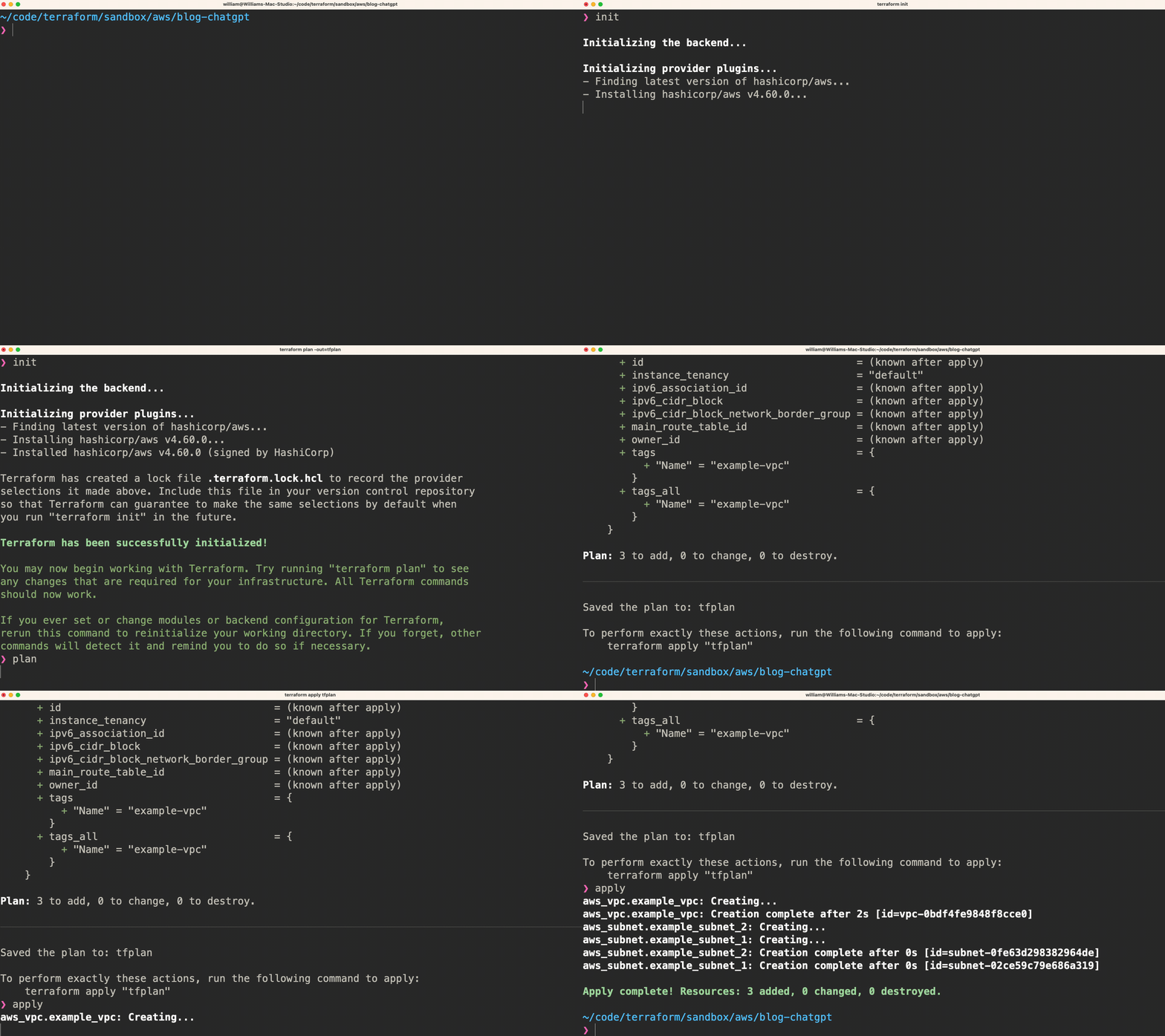
Whenever the cookies come out of the oven, I am overcome with a sense of responsibility to test them out before anyone else eats any (maybe I run this test 3 or 4 times depending on the cookie). Like those cookies, ChatGPT isn’t getting any favors from me. Let’s test:
Updating our Request#
I’m always down for a good conversation when I’m eating cookies. Let’s talk a little more to ChatGPT and request an update to our Name tags for our resources:
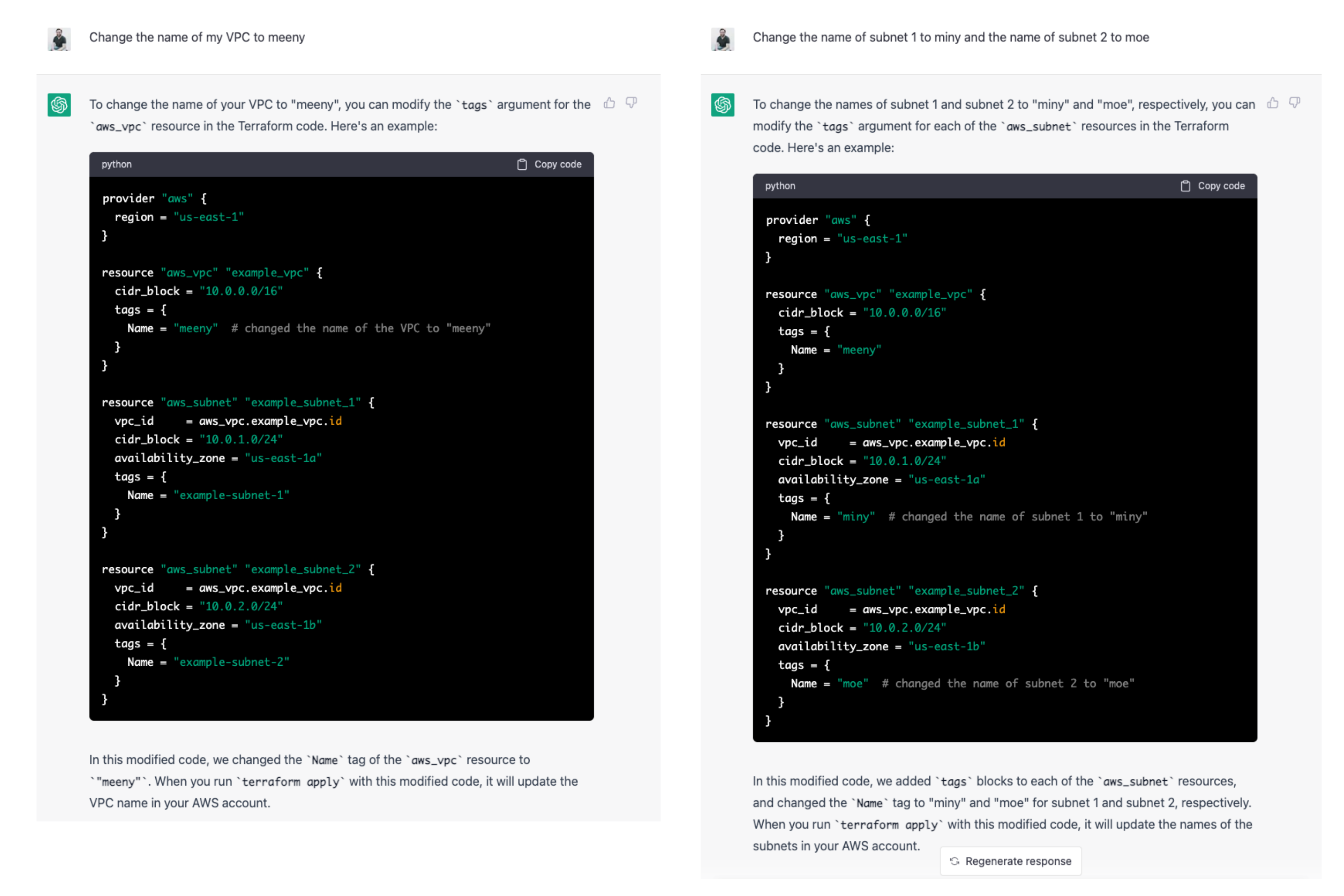
Asking ChatGPT to update Name tags was successful. Not only did I get the updated code, but comments were added to the code file to show what changes were made. This conversational style is very intuitive. If I don’t get what I need, or maybe the output clues me into something additional I need to add, I need but ask. This generative pretrained transformer is starting to win my heart over, just like cookies do.
Going Beyond Basics#
At some point (usually around Christmas / New Year’s), I realize I have been eating way too many cookies. The cookies have failed me. Let’s add more logic to see if ChatGPT fails me too. Since ChatGPT offered up handling availability zones without me asking, let’s see what happens if I throw the count Meta-Argument in the mix?
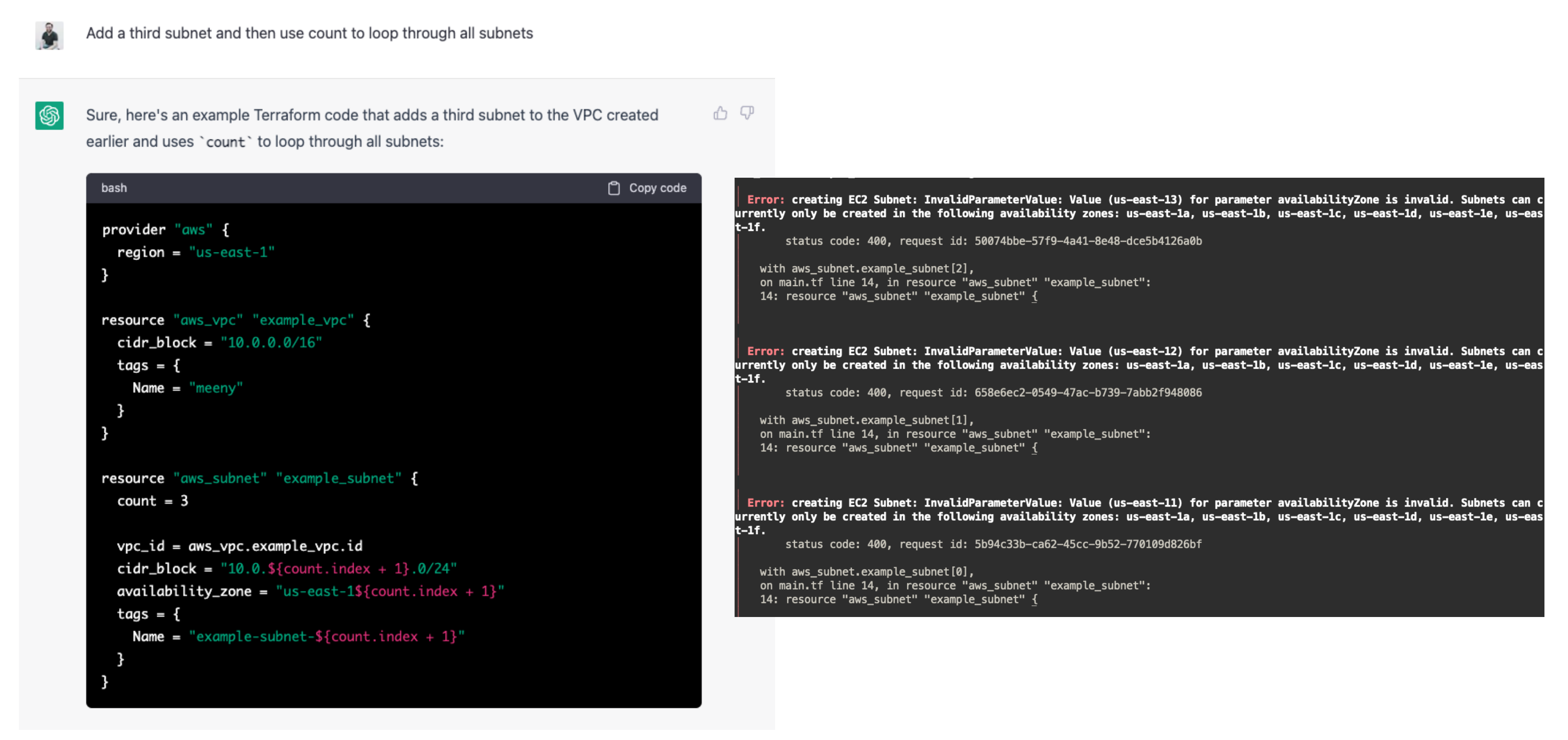
Anyone who has spent time writing Terraform would likely have spotted the problem before running the code. The ‘count’ Meta-Argument in Terraform works using an incrementing counter. With ChatGPT knowing all the “answers” and providing the availability zones as part of the configuration, it also decided to increment them in the same manner used with cidr_block and Name tag. Using this logic, it produced us-east-11, us-east-12, and us-east-13 which are not availability zones in AWS, thus causing my configuration to crash and burn. Time to go on a diet?
Conclusion#
It is hard not to be impressed. The value goes beyond simply providing lines of code. With each update to my request, ChatGPT provided a clear explanation as to why it modified the logic in the manner that it did. Since I began experimenting in January, I have found many ways to get ChatGPT to produce wrong (sometimes laughable) code or configuration. Network gear, general-purpose programming, and infrastructure-as-code are complex things, though. Numerous complications, variables, versioning, and interpretation require adjusted expectations.
Knowing how to phrase the question that frames what you need is half the battle. It will supply you with as much detail in the configuration as you request and provide placeholders for the rest. In my testing, I have learned quite a few things that have ended up in my day-to-day workflows, which is valuable to me. The idea that this is only the beginning doesn’t scare me in the way that it scares many others I have talked to. ChatGPT isn’t taking my job. If there is anything that does scare me, it is technologists at the beginning of their journey that will miss out on the valuable details of working their way through complex problems. That experience is worth its weight in gold.