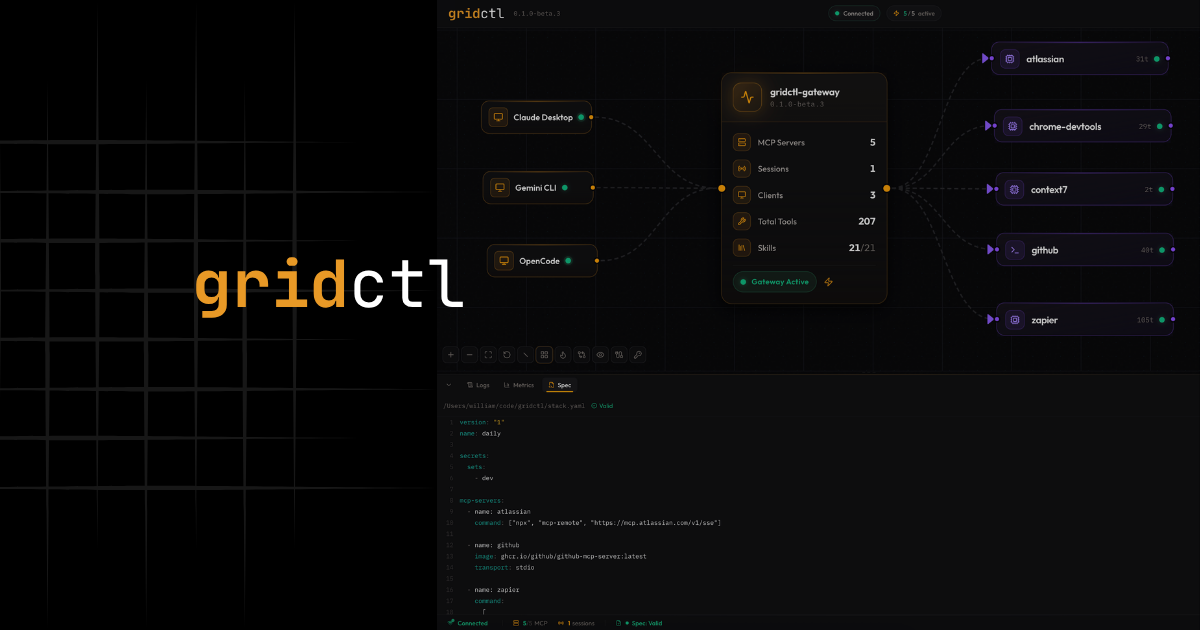
If you’ve spent any time building with MCP servers, you know the drill. You start with one server, maybe two. Then suddenly you’re juggling a dozen configurations across three different LLM clients, and your claude_desktop_config.json looks like it was written during a caffeine-fueled fever dream. That’s roughly where I was when I started building gridctl.
The Origin Story#
Gridctl started as a scrappy CLI tool on my local machine. I was deep in agent development, wiring up MCP servers, testing different combinations of tools, tearing everything down, and doing it all over again. The loop was painful. Every time I wanted to test a new agent configuration, I was manually editing JSON configs, restarting clients, and at one low point, version controlling + symlinking .json for various coding assistants.
Another area of frustration? Well, MCP servers can run in many places introducing numerous protocols into the mix. MCP servers don’t share a transport. Some speak HTTP, others use stdio, and some even live on remote machines on the same network or behind platforms that expose their MCP server as an endpoint.
So I did what any reasonable person does when a technical inconvenience drives you bananas - I built a solution. What started as a quick script to manage my local agent stacks evolved into something more opinionated, and eventually, something worth sharing.
What Is Gridctl?#
At its core, gridctl is an MCP orchestration tool. You define your entire AI tool infrastructure in a single YAML file, and gridctl handles the rest – spinning up containers, initializing connections, and exposing everything through one unified gateway.
Think of it like this: if you’ve ever used Containerlab to define network topologies in YAML, gridctl brings that same philosophy to AI agent stacks. One file. Repeatable. Version-controlled. Disposable.
| |
Instead of configuring each MCP server individually across every client, you deploy a stack and point your client at a single endpoint. Done.
What Makes It Different#
Reinventing wheels is lame. Losers reinvent wheels while the rest of us are carpin all them diems. I tried a wide variety of tooling through 2025, but gridctl was just easier to use and faster to deploy the infrastructure I needed. it didn’t make sense to switch to something else, so I doubled down and started building out additional features as new problems arose.
There’s a growing ecosystem of MCP tooling out there, so here’s where gridctl carves its own lane:
Stack as Code#
Your entire MCP infrastructure lives in a stack.yaml. Servers, agents, resources, secrets - all in one place. Check it into git, share it with your team, spin it up on any machine. No more “it works for me” let’s lose an hour troubleshooting.
But a YAML file is only as useful as the tooling around it. Gridctl ships a full spec-driven lifecycle to go with it:
| |
Drift detection runs in the background too - the canvas flags servers that are running but absent from your spec, and declarations in your spec that haven’t been deployed yet. If you’ve ever had your infra quietly diverge from what’s in version control, you’ll appreciate this more than most.
Protocol Bridge#
Gridctl acts as a gateway between your LLM client and your MCP servers. It doesn’t care if your servers speak stdio, HTTP, SSE, or sit behind an SSH tunnel. It normalizes everything and exposes a single endpoint. Your client connects once and gets access to every tool from every server.
Context Window Optimization#
HOWEVER, you don’t always need every tool from every server. This one matters more than people realize. When you throw 50+ tools at an LLM, things get noisy. Gridctl supports two levels of tool filtering - at the server level and at the agent level - so you can control exactly which tools land in the context window. Less noise, better results.
Ephemeral by Design#
Stacks are meant to be fast, disposable, and repeatable. Deploy, test, tear down, iterate. If you’re building agents, this loop should feel familiar. Gridctl just makes it faster.
Getting Started#
Here’s how to go from zero to a running stack in about two minutes.
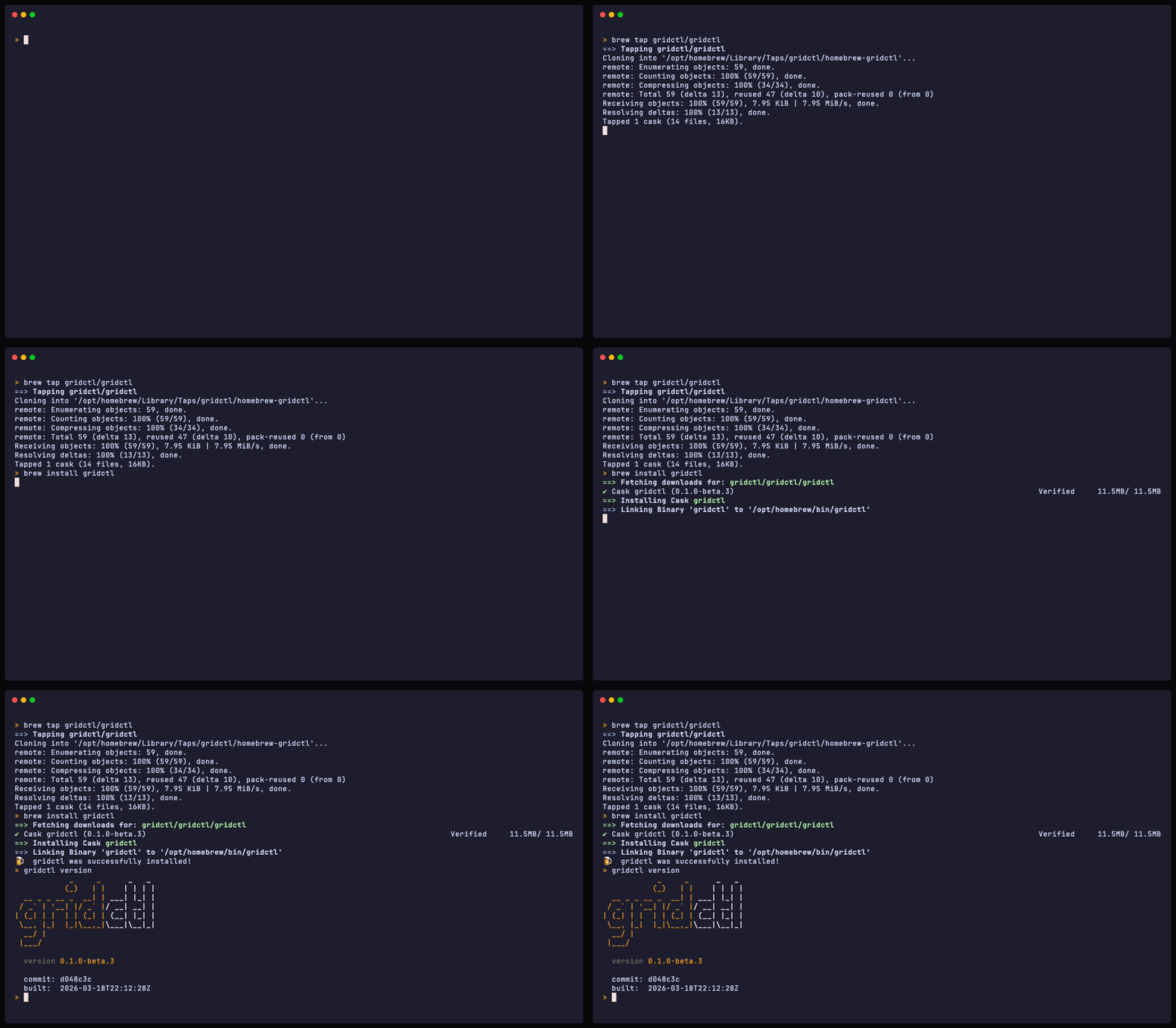
Install with Brew#
| |
That’s it. Gridctl ships as a single binary with no runtime dependencies beyond Docker (or Podman). And these container images are only required when you run a stack that deploys a container. If you are just connecting to an MCP server that’s already running, then you don’t need a container engine.
Link Your LLM Client#
Gridctl supports 13 LLM clients out of the box – Claude Desktop, Claude Code, Cursor, VS Code, Windsurf, and more. Linking is a one-liner:
| |
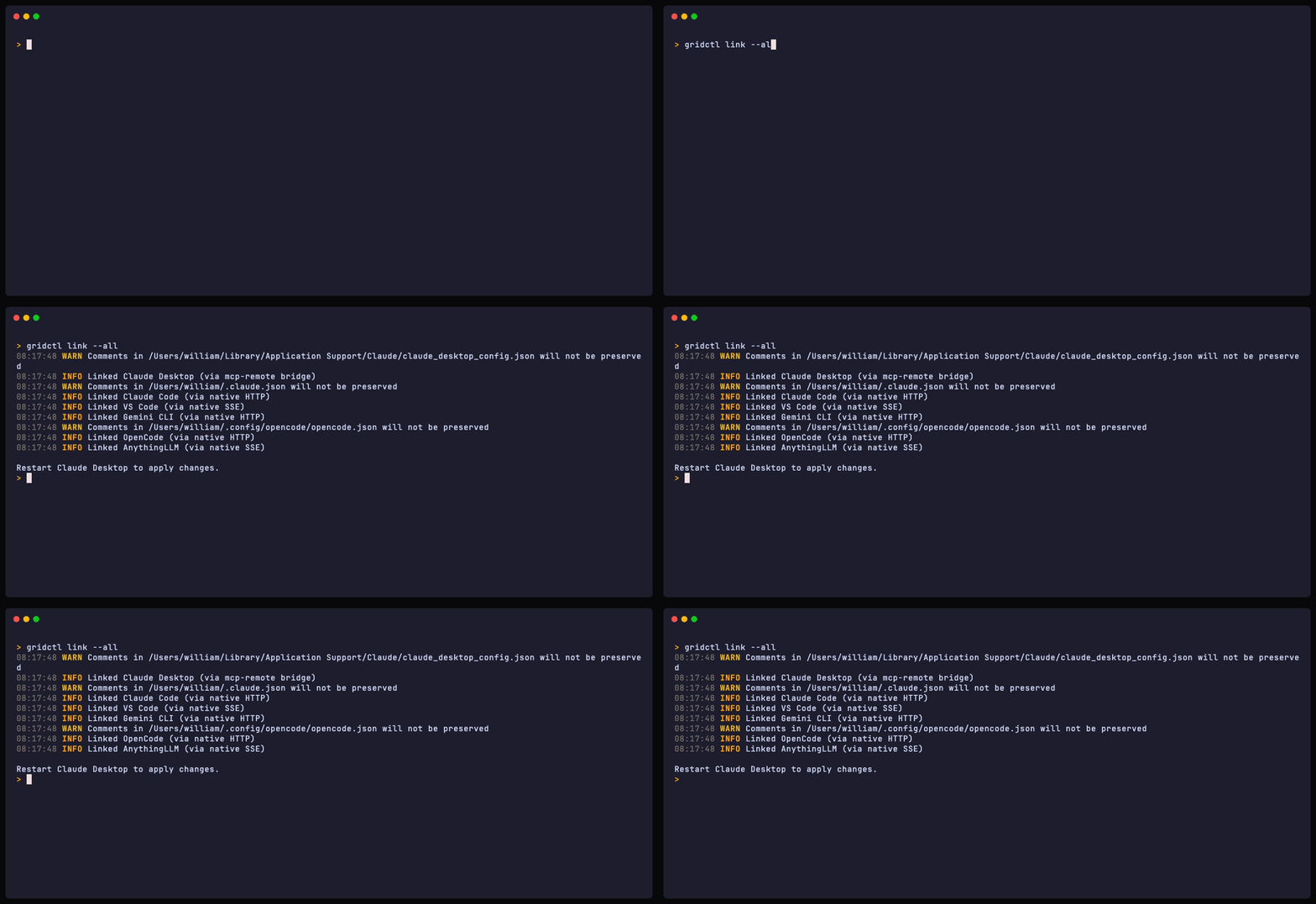
This auto-detects your installed clients and writes the configuration needed to connect to the gridctl gateway. No manual JSON editing required.
If you only want to link a specific client instead of all detected ones, you can pass the client name directly:
| |
This is handy when you’re testing against a single client, or when you intentionally want different clients pointing at different stacks.
Deploy a Stack#
With a stack.yaml defined, deploying is just as simple:
| |
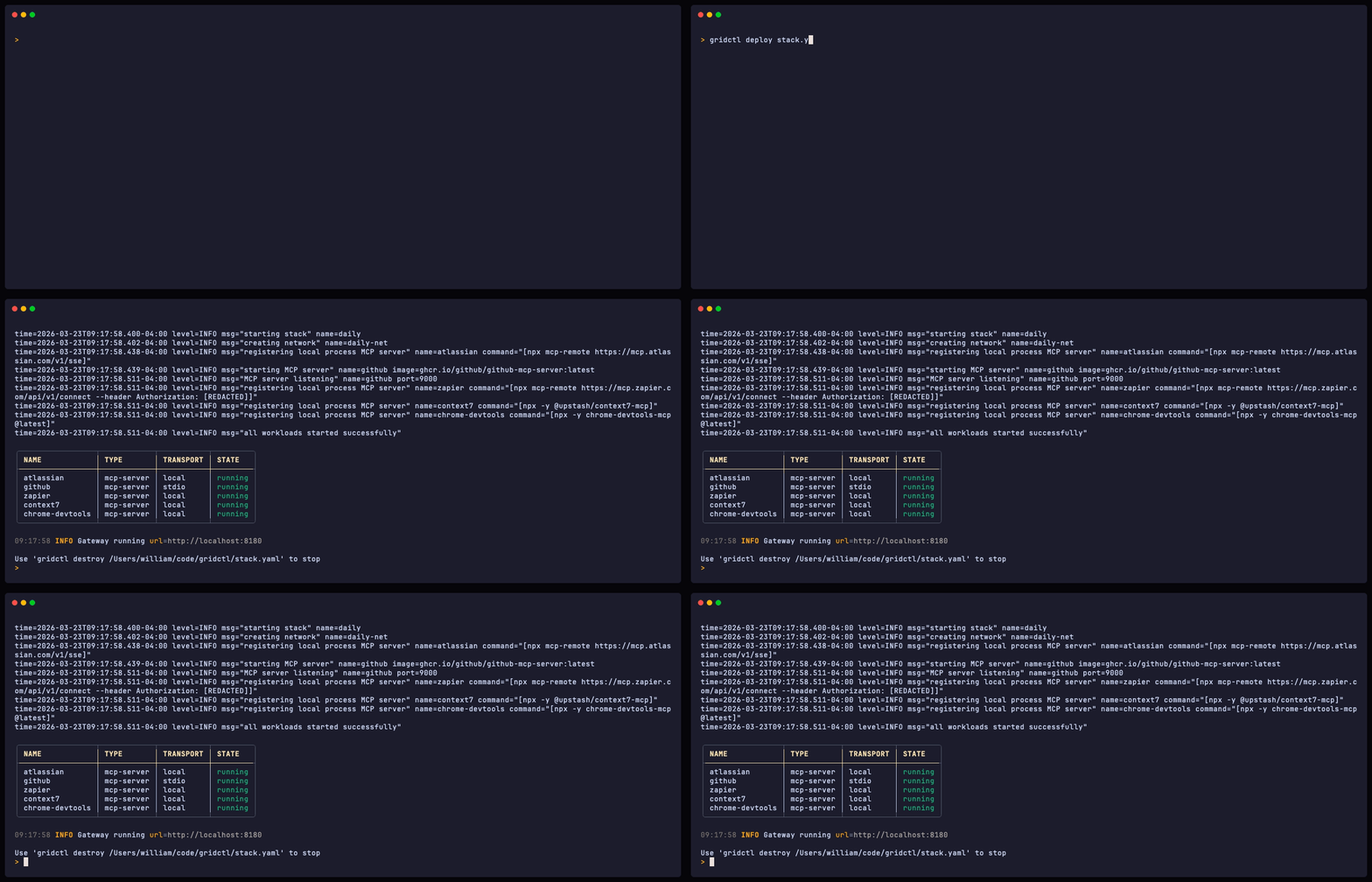
Gridctl pulls images, creates the network, starts containers, initializes MCP connections, and opens the gateway. Your LLM client can now access every tool from every server through a single endpoint at localhost:8180.
Why Not AgentGateway?#
Fair question. If you’ve poked around the MCP ecosystem, you’ve probably landed on AgentGateway – a Rust-based data plane that federates MCP endpoints, handles agent-to-agent communication, plugs into Kubernetes, and ships with RBAC, JWT auth, OpenTelemetry, and a full observability stack. It’s genuinely impressive. And it’s solving a completely different problem.
AgentGateway is built for organizations running AI agents in production at scale. Think multi-tenant deployments, compliance requirements, enterprise SSO integrations (Okta, Auth0, Keycloak), fleet-wide policy enforcement via CEL expressions, and distributed tracing across Grafana and Jaeger. It’s Kubernetes-native by design, with control plane extensions for intelligent routing to self-hosted models. The Rust codebase isn’t a coincidence – this is systems software built for production reliability.
That’s not what I needed when I was iterating on local agent stacks.
Where They Actually Diverge#
The honest comparison comes down to lifecycle phase and operational scope:
| gridctl | AgentGateway | |
|---|---|---|
| Target | Local development & iteration | Production fleet management |
| Runtime | Docker + Podman | Kubernetes (primary) |
| Lifecycle | Ephemeral stacks, fast teardown | Long-running, always-on |
| Config | stack.yaml in your repo | Dynamic xDS, hot-reload |
| Security | Container network isolation | RBAC, JWT, TLS, CEL policies |
| Observability | Canvas drift detection | OpenTelemetry, Prometheus, Grafana |
| Multi-tenancy | No | Yes |
Gridctl optimizes for the developer loop. Deploy a stack, test your agent, tear it down, change a few servers, deploy again. The whole thing is designed to be disposable. That’s the right model when you’re building and experimenting.
AgentGateway optimizes for operational maturity. When you’ve moved past “does this agent work on my machine” and into “how do I run fifty agents across three teams with audit logs and zero downtime,” that’s where AgentGateway earns its complexity.
What’s Next#
Gridctl is in beta, and I’m shipping fast. There are some experimental features already in the mix - a code mode that compresses dozens of tool definitions into two meta-tools, enhanced A2A protocol support, secrets management, and a skills registry. But those are stories for another post.
Most of the features you see today have been built around feedback from a few beta testers that are using gridctl in real life. If you are interested in beta testing, give me a shout - give gridctl a spin. File issues, break things, tell me what’s missing. The best tools are shaped by the people who use them.
Happy building.