I’ve written many nearly identical Python Dockerfiles. Pick a base image, install dependencies, add a non-root user, find the right console script, and do it again when the next MCP server shows up. That’s a lot of container housekeeping for a tool that might only tell an agent what time it is.
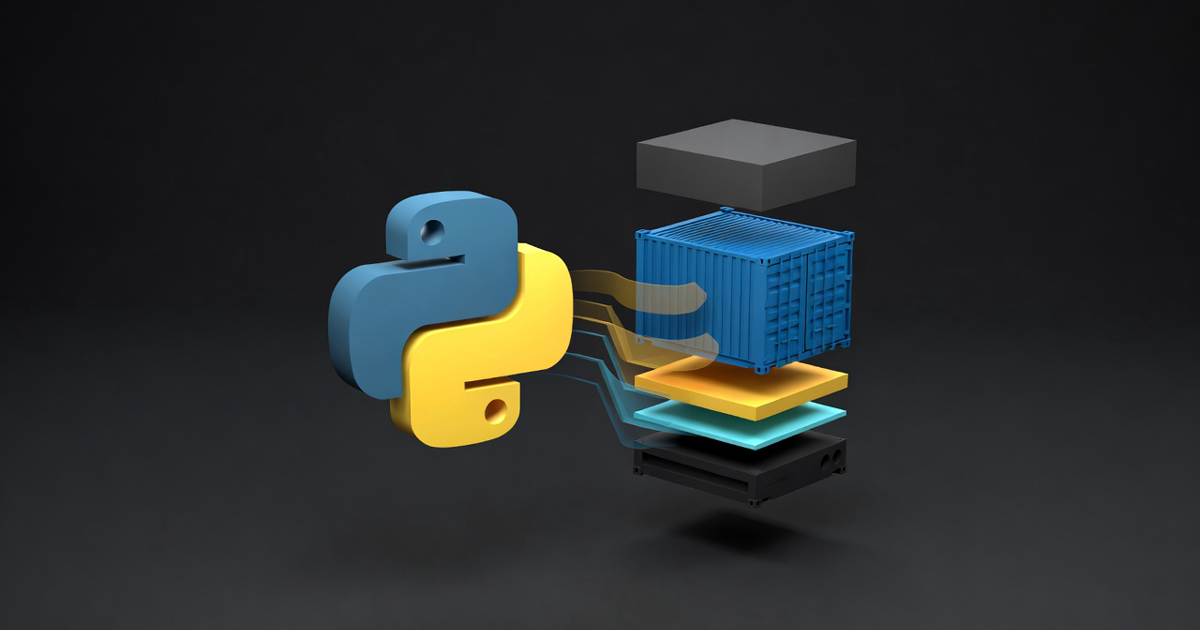
The newest gridctl feature turns pinned Python packages and repositories into containers without requiring you to maintain that Dockerfile. You describe the source, inspect the plan, and gridctl runs it through the same container lifecycle as any other MCP server. Let’s dig into what that actually means.
The Gap Between uvx and a Dockerfile#
Python makes it wonderfully easy to try an MCP server:
| |
That low-friction path is still useful, and gridctl still uses it by default for PyPI packages added from the catalog. Sometimes, though, I want a harder boundary between an agent’s tool and my laptop. I also want the package version, runtime, and command to follow the stack instead of whatever happens to be installed on the host.
Before this feature, gridctl gave you two choices. It could launch the package through host uvx, or it could build a repository that already had a Dockerfile. The awkward middle was an exact PyPI release or packaged Python repository with no container definition. You either accepted the host process or became the Dockerfile department.
Now container isolation is an explicit choice:
| |
The catalog keeps the easy host path by default. The --container flag says you want gridctl to create and manage the image instead. To me, that’s the right tradeoff. Docker or Podman shouldn’t quietly become a requirement because you clicked on a Python package.
Two Sources, Both Alike In Dignity#
No, this isn’t the Capulet or Montague families. The common source for MCP servers in the python ecosystem is typically either PyPi or git. Here is the stack I used for testing. It combines an exact public PyPI release with a project inside the official MCP servers repository:
| |
PyPI implies the Python runtime. For Git and local sources, runtime: python tells gridctl to generate the container instead of looking for a Dockerfile. Both servers default to stdio, and neither publishes a host port.
The important part is what is not in the file. There’s no Python version because gridctl can select a compatible supported version. There’s no command because each package exposes one clear console script. If a project exposes several plausible scripts, gridctl stops and asks for an explicit command rather than spinning the roulette wheel.
Planning Is More Than Pretty Output#
Running gridctl plan stack.yaml --show-dockerfile resolves the sources before anything is deployed. For PyPI, gridctl requires an exact public release, records the selected artifact and SHA256, and reads its package metadata. For Git, it resolves the declared ref to a commit and examines the packaged project at path.
It does that metadata inspection without importing the package or executing setup.py on the host. Planning shouldn’t become surprise code execution. I’ve made enough questionable choices in a terminal without my planning command volunteering to make another one for me.
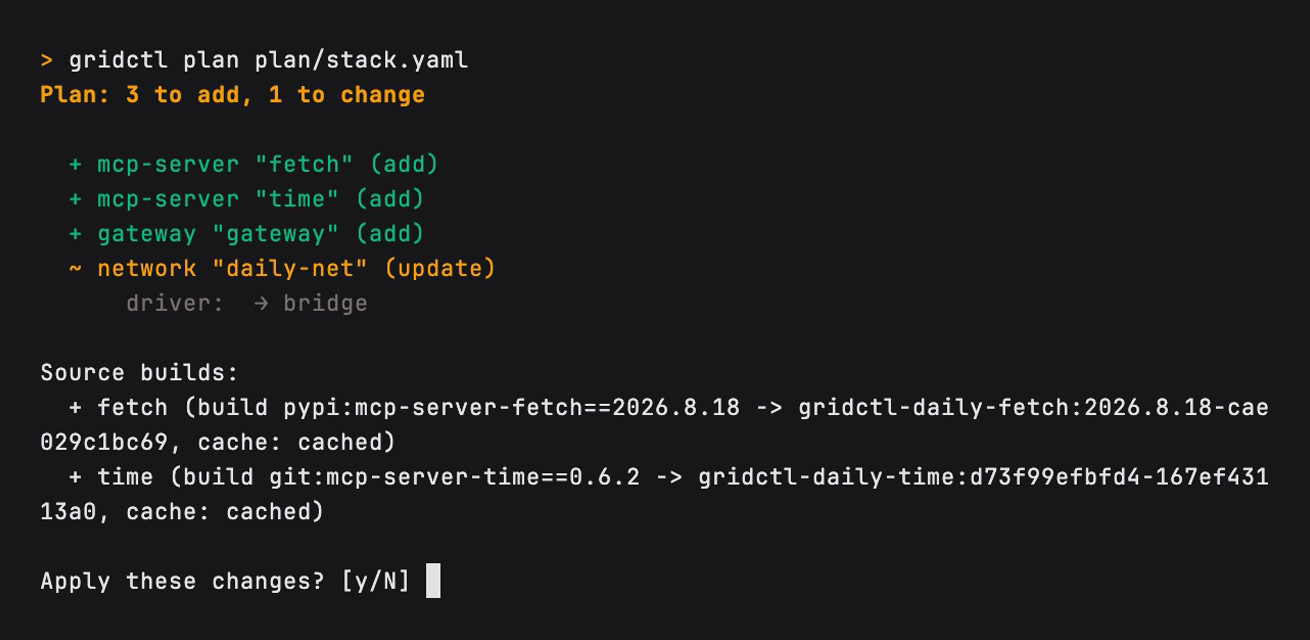
The generated Dockerfile uses digest-pinned Python and uv images, creates the gridctl user with UID and GID 10001, installs the source, and switches away from root before startup. Host Python and uv are not required because Docker or Podman performs the build.
The complete path looks like this:
| |
This is generated, but it isn’t hidden. --show-dockerfile exists because abstractions get a lot less charming when you can’t see what they’re doing.
Build Once, Then Keep That Decision#
Source resolution is only half of the feature. The image also has to survive the rest of the gridctl lifecycle without changing its mind.
Gridctl calculates a local image identity from the resolved source and build inputs. The Git commit, Python version, extras, command, operating system packages, and generated template all participate. Change one of those inputs, and you get a different image tag. An unchanged apply can reuse the cached image after checking its full build-input label.
Each logical server is built once before gridctl fans out static replicas. The resolved image is also carried into autoscaling, so a traffic spike doesn’t re-resolve a branch or rebuild the package for every new replica. I’ve had enough excitement from infrastructure already.
Hot reload follows the same rule. Gridctl resolves and builds the replacement first. If that work fails, the active server stays up. A broken package release should produce a useful error, not remove a working tool from the gateway.
Use a full Git commit when you care about repeatability. Branches and tags are accepted, but gridctl reports them as mutable and resolves them again during a later plan or apply.
Where the Boundary Really Is#
I want to be precise about the word repeatable. Gridctl gives the build a content-derived local tag and stores the full build-input digest as an image label. The runtime uses that tag. It isn’t an OCI digest reference such as image@sha256:..., and this isn’t a complete software supply chain lockfile.
PyPI planning verifies a selected artifact, but the generated Dockerfile currently asks uv to install the exact package version rather than that artifact URL and hash. A platform-specific build could select another file from the same release. Optional Debian packages are named but not version-pinned, too.
The feature removes repetitive container scaffolding, prevents source identity from drifting across replicas, and keeps generated builds inspectable. It doesn’t promise that every package index and operating system repository will return the same bytes forever.
Public PyPI is intentionally narrow today: exact releases only, no private indexes, and no version ranges or latest. Packaged Git and local projects need statically discoverable metadata. Ambiguous commands require configuration. I’d rather have gridctl stop with a useful error than guess its way into the wrong process.
Try It#
This feature is on main today, not in the current v0.1.0-rc.3 prerelease. If you’re building current main, the complete example lives in examples/python-sources/daily.yaml. You need Docker or Podman plus network access for the first resolution and build:
| |
Avoiding 15 lines of Dockerfile syntax is nice. The part I keep coming back to is that apply, reload, replicas, and autoscaling all honor one source decision. Think of the Dockerfile as the receipt with gridctl printing it out for you. Happy building!